
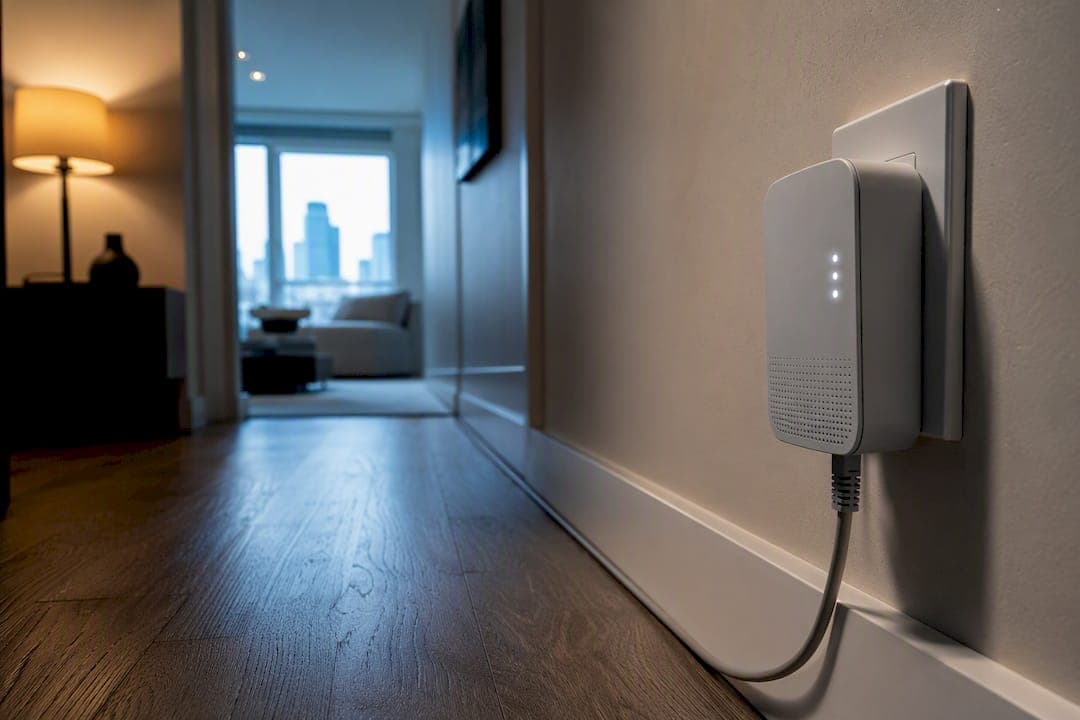
Yes. For fixed devices like a smart TV, streaming box, or console sitting in a room where Wi‑Fi struggles, a quality powerline adapter typically delivers more stable connectivity and lower latency than wireless, especially through thick walls or across floors. Real‑world throughput on a good AV2000 kit often falls within several hundred Mbps range, typically within up to a few hundred megabits per second, with only a couple of milliseconds added latency over pure Ethernet. One rule that makes or breaks the setup: plug directly into wall outlets on the same electrical circuit when possible, and avoid surge protectors or power strips that can block signals.
TL;DR:
- Powerline adapters typically deliver real-world speeds between 100 and 500 Mbps, suitable for multiple 4K streams but not for gigabit plans.
- Performance heavily depends on wiring quality, circuit configuration, and avoiding surge protectors or GFCI outlets that can block signals.
- Using adapters on the same circuit and plugging directly into wall outlets improves stability, while moving adapters across circuits often reduces speed.
- AV2000 or G.hn standards are recommended for homes with gigabit internet plans or multiple high-bandwidth devices running simultaneously.
- Low latency and consistent connection make powerline a better choice than Wi‑Fi for gaming, especially in busy household environments.
Table of Contents
- How powerline networking works and why it helps streaming
- Real-world performance: what to expect for 4K streaming and gaming
- Which standards and models to choose for streaming and gaming
- Installation and placement best practices for reliable streaming
- Limitations and when powerline isn't the right call
- Quick buying checklist for streaming and gaming setups
- What actually matters once you're past the spec sheet
- Getting the most out of a stable connection
- Sources
How powerline networking works and why it helps streaming
A powerline adapter takes the Ethernet signal from your router and converts it into a high‑frequency electrical signal that rides along the copper wiring already running through your walls. Plug a second adapter into an outlet near your TV or console, and it pulls that signal back off the wiring and hands it to your device through a regular Ethernet cable. No new cable runs, no drilling, no crawling through your attic. You're borrowing infrastructure that's already there.
That matters for streaming because Wi‑Fi shares its air waves with every phone, laptop, smart speaker, and neighbour's router within range. A smart TV parked two rooms from your router competes for bandwidth on a channel that's also carrying your kid's tablet and your own laptop's video call. Powerline sidesteps that entirely. The signal travels through wiring, not air, so it isn't subject to the same congestion, wall attenuation, or roaming jitter that plagues Wi‑Fi in a busy household. Powerline adapters deliver a more stable, lower-latency connection than congested Wi‑Fi for exactly this reason, particularly for bandwidth‑heavy tasks like 4K streaming and gaming.
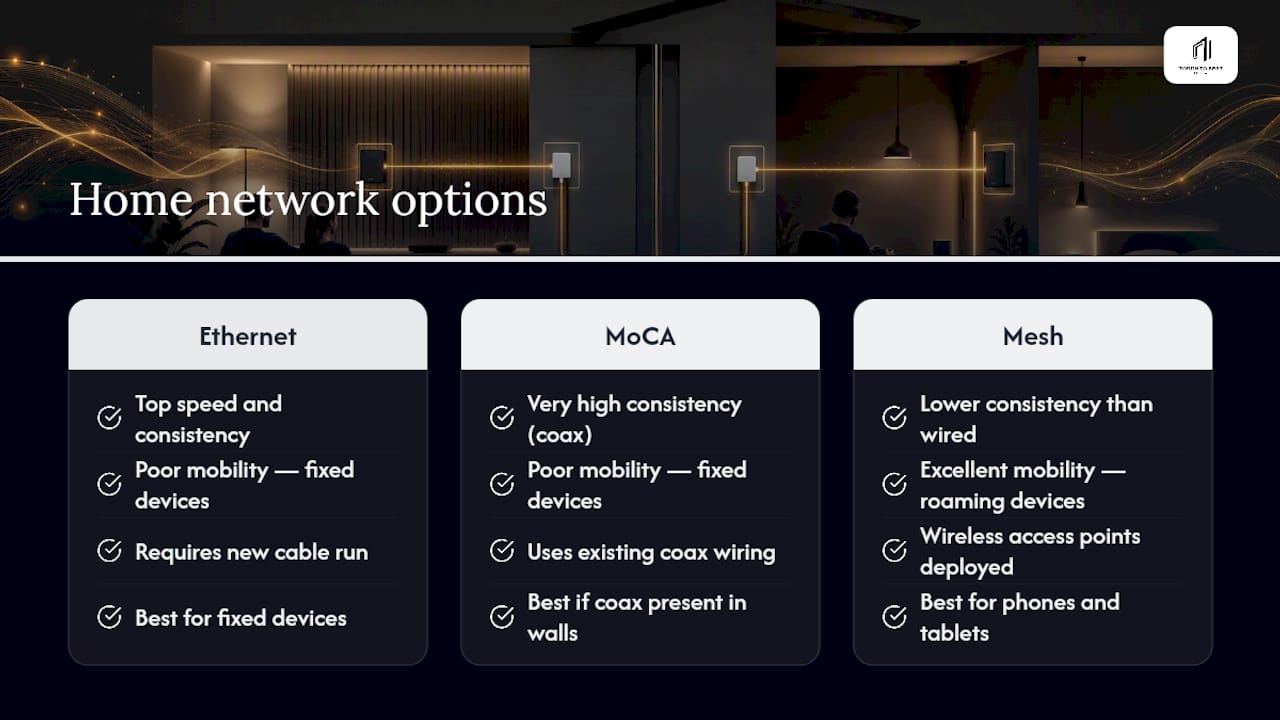
Where does powerline fit next to your other options? Direct Ethernet still wins on raw speed and consistency; nothing beats a cable running straight from your router. MoCA (coax‑based networking) is the other strong contender if your home has old cable TV wiring still in the walls, often outperforming powerline in houses with older or mixed electrical circuits. Mesh Wi‑Fi is the better pick for phones, tablets, and laptops that move around the house, since those devices need to roam between access points. Powerline occupies the middle ground: better than Wi-Fi for anything that stays put, not quite as fast or consistent as a dedicated Ethernet run. If your devices don't move, Ethernet's advantage over Wi‑Fi is usually about consistency, not raw speed, and powerline captures most of that same benefit.
Real-world performance: what to expect for 4K streaming and gaming
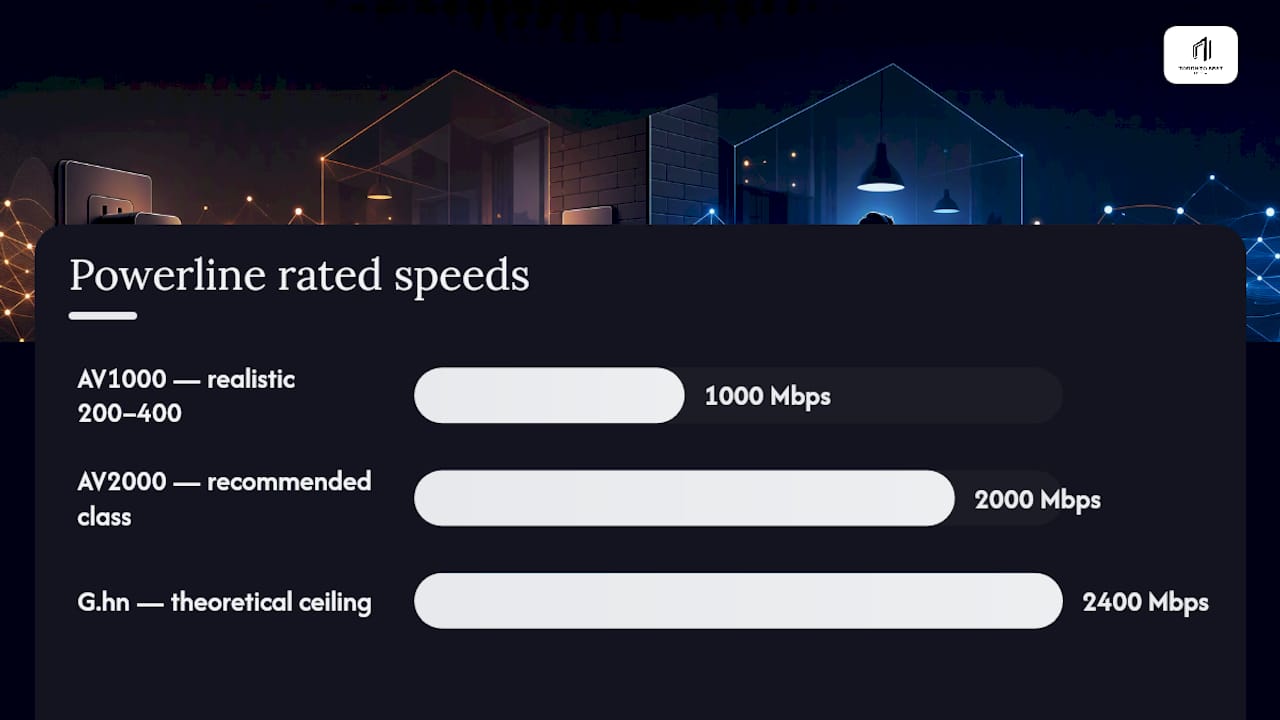
Numbers matter more than marketing claims here, and the gap between advertised and actual speeds on powerline gear is wide. AV2000‑class kits have theoretical maximum speeds up to about 2,000 Mbps, but real-world speeds vary widely depending on wiring and conditions. Older wiring, longer runs, or a lot of interference from appliances can drag that down toward 100 to 500 Mbps, which is still plenty for multiple concurrent 4K streams in most households. AV1000 or AV600 kits generally provide lower real-world throughput, sufficient for a single 4K stream but may struggle with multiple simultaneous streams.
Latency check: Independent testing across multiple homes found powerline adapters add roughly 2 to 5 milliseconds of latency compared with a direct Ethernet cable, while congested Wi‑Fi often produces jitter several times larger and far less predictable.
That jitter gap is the real story for gamers. A console connected over Wi‑Fi in a busy house doesn't just run a few milliseconds slower on average, it swings unpredictably from one moment to the next as other devices grab airtime. Powerline's latency is close to Ethernet and, more importantly, it stays consistent. For a competitive shooter or a fast‑paced online match, that predictability often counts for more than shaving a few extra Mbps off your peak throughput.
A handful of household factors reliably tank powerline performance: surge protectors and power bars with built‑in filtering, homes with a separate subpanel between the two adapters, and heavy appliances like refrigerators or washing machines sharing a circuit with your adapter. None of these are dealbreakers on their own, but stacking two or three of them together is usually where people give up on powerline and blame the technology instead of the wiring.
Which standards and models to choose for streaming and gaming
Not all powerline gear is built the same, and the standard printed on the box tells you most of what you need to know before you buy.
-
HomePlug AV2 (AV1000 class): Rated up to 1,000 Mbps, realistic throughput often in the 200 to 400 Mbps range. Fine for a single 4K stream or light gaming.
-
HomePlug AV2 (AV2000 class): Rated up to 2,000 Mbps, and the class most independent reviewers recommend for streaming and gaming, since it holds up better across longer wiring runs and busier circuits.
-
G.hn: A newer standard advertising theoretical speeds up to 2,400 Mbps, found in combo units like the devolo Magic 2 WiFi 6. Real gains depend heavily on your home's wiring, so treat the headline number as a ceiling, not a guarantee.
-
Powerline plus Wi‑Fi combo units: Useful when you need a Wi‑Fi hotspot at the far end of the house in addition to a wired port, such as a basement office that also needs a phone or laptop connection.
Independent testing has repeatedly pointed to the TP‑Link AV2000 TL‑PA9020P KIT as a strong pick in this class, with two Gigabit Ethernet ports, a noise‑filtered passthrough outlet, and 2x2 MIMO that helps stability on noisier circuits. Wirecutter's lab testing named it the best overall powerline kit after extensive side‑by‑side comparisons.
Pro Tip: If your internet plan is under 300 Mbps, an AV1000 kit like the TP‑Link TL‑PA7017 will do the job fine. Save the AV2000 or G.hn money for gigabit plans or households running two 4K streams and a console at once.
Look for these features whichever class you land on: Gigabit Ethernet ports (not the older Fast Ethernet 100 Mbps ports still found on cheap kits), a passthrough outlet so you don't lose a wall socket, MIMO or noise filtering for busier electrical panels, and AES encryption pairing so neighbouring units on a shared transformer can't see your traffic.
Installation and placement best practices for reliable streaming
Getting powerline right is mostly about avoiding a handful of well‑known traps, in this order:
- Plug directly into a wall outlet. Never use a surge protector, power bar, or UPS between the adapter and the wall. These devices filter the exact frequencies powerline relies on and can block the signal entirely.
- Use a passthrough model if outlets are scarce. A passthrough socket lets you keep using that outlet for a lamp or charger without sacrificing it to the adapter.
- Test on the same circuit first. Plug both adapters in the same room, on the same breaker, and run a speed test. This gives you a baseline for the best‑case performance you can expect.
- Move one adapter to its target room and retest. Run a speed test and a ping test (a simple
ping -tto your router works) to see how much throughput and latency change once electrical distance increases. - Reposition if the drop is dramatic. A sudden falloff usually points to a subpanel, GFCI outlet, or heavy appliance on that circuit. Try an adjacent outlet before assuming the kit is faulty.
This same‑circuit‑first approach isn't just a nice-to-have step, it's the fastest way to tell whether your home's wiring will cooperate before you commit to a permanent setup in the living room.
Limitations and when powerline isn't the right call
Powerline has real boundaries, and pretending otherwise sets readers up for a bad first impression. Homes with a separate subpanel (common in additions, garages, or basements wired later) often see performance collapse between the main panel and the secondary one, sometimes dropping to a crawl or losing the connection altogether. Older aluminum or knob‑and‑tube wiring, still present in some houses built before the 1970s, is another common culprit behind unreliable powerline links.
Surge protectors and certain GFCI outlets are the other frequent failure point. Both can filter or block the powerline signal, and unlike wiring problems, this one is invisible until you plug in and wonder why nothing works. If you've ruled out the circuit issues and it's still unreliable, check every outlet between the two adapters for a protector or GFCI hiding in the chain.
When powerline genuinely can't be salvaged, you have three solid alternatives. Running actual Ethernet cable is the gold standard if you can get it through a wall, floor, or along a baseboard. MoCA adapters, which use your home's existing coax TV wiring, often outperform powerline in houses with unreliable electrical wiring since coax tends to be more consistent than a home's power circuits. And a properly placed mesh Wi‑Fi system remains the better fit for anything that moves around the house, even if it isn't the answer for a fixed console or streaming box.
Quick buying checklist for streaming and gaming setups
Match the kit to your internet plan, not the biggest number on the box.
- Gigabit Ethernet ports on both adapters. Older Fast Ethernet ports (100 Mbps) cap your speed no matter how fast the powerline link is.
- AV2000 or G.hn for gigabit internet plans or households running multiple 4K streams and a console simultaneously.
- AV1000 is a reasonable, cheaper compromise for a single 4K stream or moderate gaming, especially in a smaller home with newer wiring.
- Passthrough outlet if you're tight on wall sockets near your router or TV.
- MIMO or noise filtering if your electrical panel is older or shares circuits with major appliances.
- Avoid kits with only 100 Mbps ports, no passthrough, and no published independent latency testing. If reviewers haven't measured jitter, assume it's mediocre.
What actually matters once you're past the spec sheet
For most living rooms and home offices, the pragmatic call is an AV2000 or G.hn kit plugged into outlets on the same circuit as the router, with a passthrough model if you're short on sockets. That single placement decision does more for real‑world performance than any spec on the box.
The trade‑off worth accepting: you'll rarely hit the advertised throughput number, and that's fine. Consistency and low jitter matter more for streaming and gaming than chasing a peak Mbps figure you'll never see in practice. Test on the same circuit before you commit to a permanent run, and don't be surprised if the numbers land closer to 400 Mbps than 2,000.
— Aj
Getting the most out of a stable connection
A rock‑solid powerline link solves half the buffering problem. The other half is what's happening on the streaming side once your data leaves the house, and that's where a streaming service with Canadian edge routing can help. This technology is built to cut the buffering and lag that show up during high‑demand moments, like an overtime NHL playoff game, by keeping traffic on faster, more direct paths instead of the congested routes that slow down typical services.

If you've just wired up your living room with a solid powerline connection, pairing it with a streaming service that's tuned for low buffering on live sports is the next logical step. Read the complete guide to IPTV in Canada to see how the setup works, or check the sports IPTV lineup if NHL and NFL games are your primary focus. Many services offer a free trial so you can test the difference on your own network before you commit.
Sources
- Powerline adapter vs Wi‑Fi extender: find the fix for your dead zone | TP‑Link
- The best powerline networking kit (Wirecutter)
- Best powerline adapter for gaming: Wired when you can't run cable
- devolo Magic 2 WiFi 6 product page