

The fastest way into a working IPTV setup is the simplest one: paste your M3U URL into VLC and play one channel before you touch anything else. That single test tells you whether the problem lives in the playlist or the player. From there, the routine is three steps: validate, import to your device, then add the EPG. If your playlist URL has a username, password, or token baked in, treat it like a password and never post it publicly.
TL;DR:
- Testing your M3U playlist in VLC first quickly confirms if streaming issues are linked to the playlist or the app, saving troubleshooting time.
- A stable internet connection with sufficient bandwidth and Ethernet is crucial for smooth HD streams, especially during peak hours or multiple simultaneous viewers.
- M3U credentials differ from app license keys; mixing them up causes setup failures, and credentials must be kept private to avoid unauthorized access.
- Setting up IPTV on different platforms involves installing a compatible player, pasting your playlist URL, and optionally adding an EPG guide; testing with a short playlist first simplifies troubleshooting.
- Using a managed setup service like Torontobestiptv offers preconfigured, reliable streams with fast delivery, bypassing common playlist or configuration issues and saving time.
Table of Contents
- Quick checklist: hardware, network, and credentials to have ready
- Where do you find or create an M3U playlist?
- How do you set up M3U IPTV on Android, Fire TV, iOS, and PCs?
- Why is my EPG (TV guide) blank, and how do you fix it?
- What's the fastest way to troubleshoot a broken IPTV stream?
- What should you know about privacy and legality before streaming?
- Test-first routine and where to get managed setup help
- Why testing in VLC first actually saves you time
- A managed setup option if you'd rather skip the tinkering
- Sources
- FAQ
Quick checklist: hardware, network, and credentials to have ready
Before you open any app, gather the basics so you are not stopping mid-setup to hunt for a password. An iptv m3u link setup goes faster when everything is in one place.
- Your M3U URL or a downloaded .m3u file
- An EPG URL, if your provider supplies one separately
- The device you are setting up (phone, box, smart TV, or computer)
- Xtream Codes login details, if that is how your provider issues access: usually a server address, username, and password rather than a single link
- A wired connection or a strong 5GHz Wi-Fi signal
Bandwidth matters more than most people expect. Plan for sufficient Mbps per HD stream, and more if several people in the house watch different channels at once. Ethernet is more forgiving than Wi-Fi during peak evening hours, which is exactly when live sports and prime-time channels get hit the hardest by congestion.
One distinction trips up a lot of new users: your playlist credentials and your app's license key are not the same thing. A license key unlocks the player software itself; the M3U URL or Xtream login is what actually feeds it channels. Mixing the two up is one of the most common reasons a "setup" fails before it even starts.
Where do you find or create an M3U playlist?
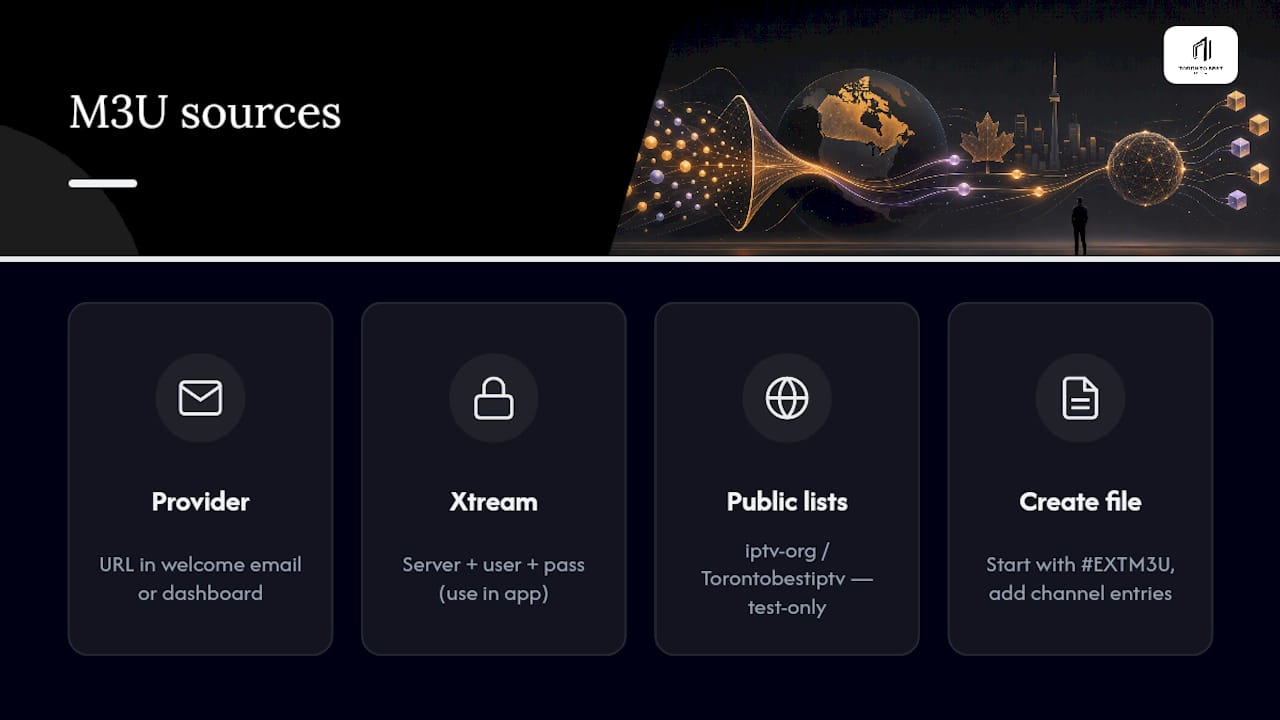
Most providers send your M3U URL in a welcome email, an account dashboard, or a setup message right after purchase. If your service runs on Xtream Codes instead of a flat file, you will get a server address, username, and password to enter into the app rather than a single pasted link.
If you want something to test with first, iptv-org maintains a public collection of country, language, and category playlists that anyone can load into a player. These links are user-submitted, so channels come and go, and availability or legal status varies depending on where you live and what you are watching. Treat it strictly as a way to confirm your player works, not as a long-term source. Torontobestiptv also keeps a running list of popular free IPTV playlists worth testing with for the same reason.
Building your own .m3u file is simpler than it looks. According to HitPaw's breakdown of the format, a valid file starts with #EXTM3U, followed by an #EXTINF line describing each channel, then the stream URL itself:
#EXTM3U
#EXTINF:-1,Sample Channel
http://example.com/stream.ts
Only add streams you are actually authorized to access, and never paste a URL containing a token or password into a forum post, a screenshot, or a public GitHub gist.
How do you set up M3U IPTV on Android, Fire TV, iOS, and PCs?
Every platform follows the same logic underneath: install a player, feed it your playlist, then check the guide. The buttons just move around.
- Android and Android TV. Install a compatible IPTV player from the Google Play Store or your box's app store. Open the app, look for "Add Playlist," choose "URL" (or "Local File" if you downloaded an .m3u), paste the link, and load it. If the app has an EPG field in settings, add your guide URL there too.
- Fire TV and Firestick. Install your player from the Amazon Appstore, or sideload it if the app isn't listed there. Inside the app, find the option to add a playlist by URL, or enter your Xtream server, username, and password if that's how your provider works. Load a small test playlist first rather than your full channel list, so any errors are easy to isolate.
- iOS and Apple TV. Look for apps built around a remote playlist or URL field, since Apple's ecosystem restricts sideloading. VLC for iOS is a solid way to confirm a single stream plays before committing to a dedicated IPTV app.
- Windows and macOS. Open VLC, go to Media, then "Open Network Stream," and paste your M3U URL directly. This is the quickest cross-platform way to confirm a stream is alive. For day-to-day viewing with favourites, catch-up, or VOD, a dedicated app usually beats VLC, and Torontobestiptv's Windows and Mac setup guide covers both paths.
- Smart TVs (Samsung, LG). Install a supported player from your TV's own app store, then enter your playlist URL, or your MAC address and playlist field if your provider uses that method. Smart TV apps tend to lag behind their Android or Windows counterparts in features, so expect fewer customization options.
Why is my EPG (TV guide) blank, and how do you fix it?
The EPG, or electronic programme guide, is a completely separate data source from your M3U playlist. Your playlist tells the player which channels exist and where to stream them; the EPG tells it what's currently airing on each one. A blank guide almost never means your channels are broken.
The usual culprit is a mismatch in channel identifiers. According to Android TV's developer documentation on channel mapping, guide data has to line up by identifier for listings to populate correctly, and that identifier is commonly called tvg-id.
- Add your EPG XML URL in the player's settings, usually under a section labelled "EPG" or "Guide."
- Give it time. Most players take anywhere from a few minutes to a couple of hours to fully populate a large guide.
- If it's still blank after that, open your .m3u file and check the
tvg-idvalue on each#EXTINFline against the identifiers used in your EPG source. A mismatch there is the most common cause of a guide that never loads.
Pro Tip: If only a handful of channels show guide data while the rest stay blank, you almost certainly have a partial tvg-id mismatch rather than a broken EPG feed. Fix those channels individually instead of re-adding the whole guide. For a deeper walkthrough, Torontobestiptv's IPTV EPG guide covers the trickier mapping cases, and the Android TV box EPG tutorial is worth a look if you're on that platform specifically.
What's the fastest way to troubleshoot a broken IPTV stream?
Work through problems in order rather than guessing randomly, and you'll usually find the fault in under five minutes.
- Test one stream in VLC. This separates a playlist or network problem from an app-specific bug. If VLC plays it, the app is the issue; if VLC won't play it either, the problem sits upstream.
- If VLC plays it but your app won't, refresh the playlist or clear the app's cache. If VLC also fails, check whether the URL contains an expired token, or check your provider's status page for outages.
- Buffering usually means bandwidth, not the playlist. Switch to ethernet if you're on Wi-Fi, run a speed test, and cut back on the number of simultaneous streams in the house.
- If many channels fail at once, re-validate the entire M3U file rather than chasing individual channels one by one. If only the guide fails while playback is fine, that's an EPG mapping issue, not a stream issue.
Pro Tip: Keep a single "known good" test channel bookmarked in VLC. When something breaks, load that one first. If it plays fine, the fault is somewhere else in your setup, not your internet connection. Torontobestiptv's buffering and error troubleshooting guide walks through the Canadian-specific network quirks that tend to cause the worst stutter.
What should you know about privacy and legality before streaming?
A player is just software that reads a list of links; it has no say over whether those links are lawful. Sticking a legitimate M3U file into VLC doesn't change the legal status of what's on the other end, and only streams you're actually authorized to access should end up in your playlist.
- Never share a playlist URL that contains an embedded username, password, or access token, and redact those details before posting any screenshot.
- If you're using a public test playlist, remember channel availability shifts constantly and some listings may not be lawful to access in your region.
- Treat your Xtream or M3U credentials the same way you'd treat a streaming account password: not something to hand off casually.
Test-first routine and where to get managed setup help
If you take one habit from this guide, make it this: test in VLC, import a small playlist to your device, add the EPG, then expand to your full channel list. That order catches almost every common failure before it costs you an evening.
- Validate one channel in VLC before touching your device app
- Import a short test playlist, not the full list, on the first try
- Add EPG only after playback is confirmed working
- Expand to your complete playlist once every step above checks out
Torontobestiptv's setup resources and plans are there for anyone who'd rather skip the troubleshooting entirely and start from a preconfigured setup instead.
Why testing in VLC first actually saves you time
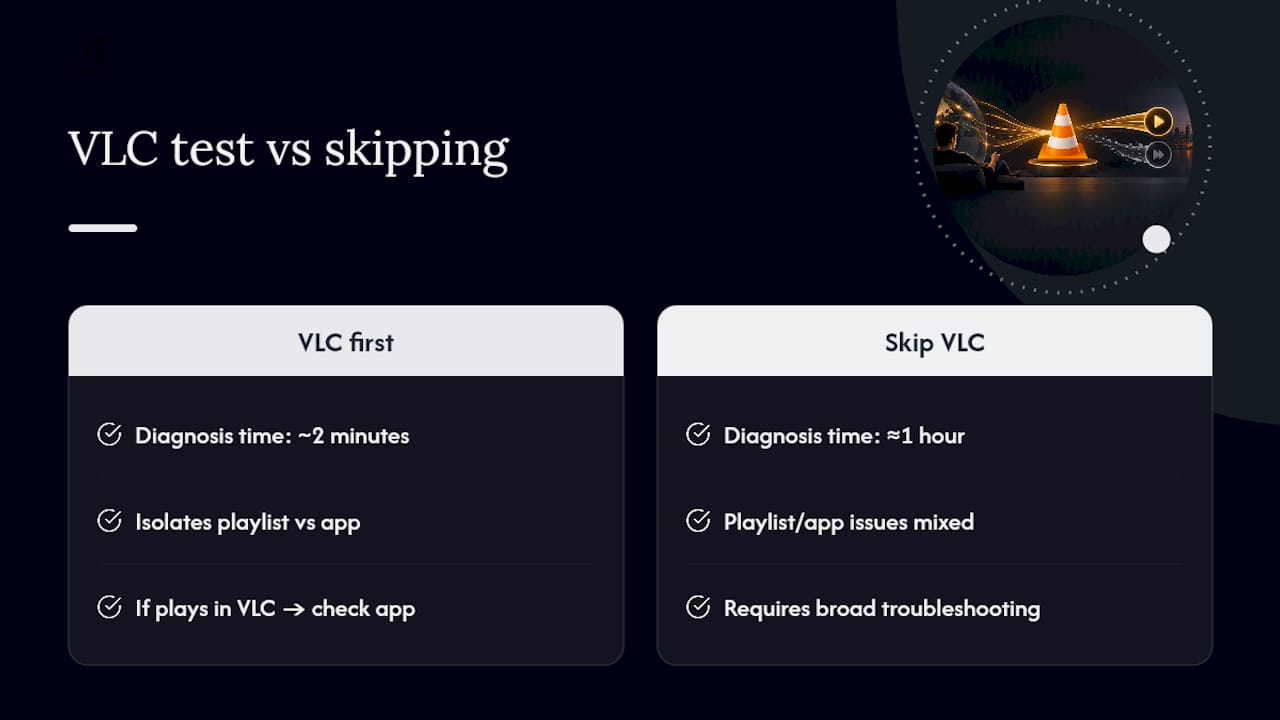
Most support requests we see trace back to skipping the VLC test and jumping straight to a full device setup. That one step separates a playlist problem from an app problem in seconds, and it turns an hour of guesswork into a two-minute diagnosis. If a channel plays cleanly in VLC but not in your app, you know exactly where to look next: the app, not your internet, not your provider.
If you'd rather not troubleshoot at all, device-specific guides and local support exist for exactly that reason. There's no shame in skipping straight to help when your evening is built around a hockey game, not a settings menu.
— Aj
A managed setup option if you'd rather skip the tinkering
Torontobestiptv is the practical alternative to spending your evening debugging M3U files. Instead of hunting down tvg-id mismatches or testing streams across five apps, you get Canadian edge routing built to cut buffering on live sports, plus a setup that's already done for you.
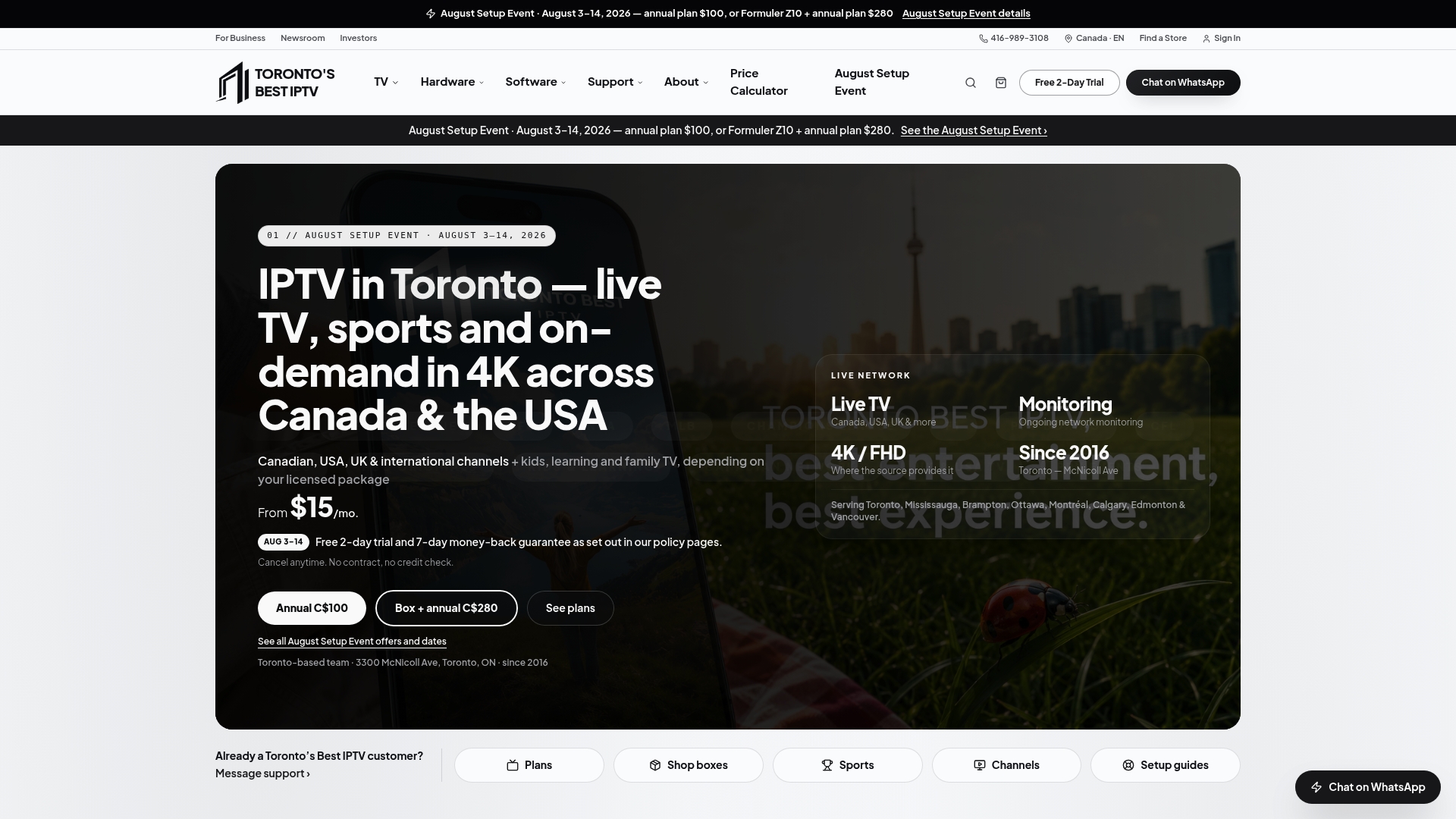
Plans start at $15 CAD a month, with 6-month and 12-month options for anyone who'd rather not think about renewals. If you want someone else to handle the physical setup, a home installation visit is available as a one-time add-on, and the shop carries preconfigured boxes with a 2-year warranty for households that want hardware ready to plug in. Every plan includes a two-day free trial, so you can confirm channels and stream quality before paying anything. If you've just worked through a rough EPG mismatch or a stubborn buffering issue on your own setup, start the two-day free trial and see whether a managed connection solves it outright.
Sources
FAQ
Where can I find free M3U playlists?
iptv-org hosts a public collection of country, language, and category playlists you can paste directly into a player to test. Channels are user-submitted, so availability shifts and legal status varies by region, so treat these as testing tools rather than a permanent source.
Where do I find my license key for M3U IPTV?
Your app's license key is separate from your playlist URL. It's typically issued by the app developer through your purchase confirmation or account area, while your M3U link or Xtream login comes from your IPTV provider.
How do I create my own M3U playlist?
A basic .m3u file starts with #EXTM3U, followed by an #EXTINF line naming each channel and then the stream URL on the next line, as HitPaw's guide details. Only include streams you're actually authorized to access, and save the file with a .m3u extension.
How do I find my URL for IPTV?
Check the welcome email, account dashboard, or setup message your provider sent after you signed up. If your service runs on Xtream Codes rather than a single link, you'll instead get a server address plus a username and password to enter into your player.
What does IPTV cost through Torontobestiptv?
Plans start at $15 CAD a month, with 6-month and 12-month options also available, and every plan includes a two-day free trial before you commit.