

Canadians can watch Ukrainian TV through three practical routes: free web players and apps for news, select Canadian carriers that already carry channels like Ukraine24, or a paid IPTV subscription for full live-channel access. Availability shifts by provider and device, so check your specific carrier or app store before committing. For dependable, broad coverage, including sports and entertainment, a local IPTV service like Torontobestiptv is worth trialling.
TL;DR:
- Watching Ukrainian TV in Canada requires checking individual carrier deals, as channel availability varies widely between providers and devices.
- Paid IPTV subscriptions offer the most comprehensive access to Ukrainian channels, sports, and entertainment without the limitations of free streams.
- For reliable streaming, a wired Ethernet connection and a reputable, licensed service are crucial to reduce buffering and ensure quality.
- Legally, Ukrainian TV is accessible in Canada through official web players, licensed distributors, or licensed IPTV services, but unauthorized streams pose legal risks.
- Costs range from free basic news streams to paid plans starting at $15 CAD per month, with trials available to verify channel lineup and quality before committing.
Table of Contents
- Ways to watch Ukrainian TV in Canada
- How do I start streaming on my device?
- Which Ukrainian channels can Canadians actually get?
- What does it cost to watch Ukrainian TV in Canada?
- Fixing buffering and picture quality issues
- Why a local Canadian IPTV service solves what free streams can't
- Is watching Ukrainian TV in Canada legal?
- Do I need a VPN to watch Ukrainian TV in Canada?
- How do I pick a legitimate paid IPTV subscription?
- What Canadian viewers should prioritize first
- Get set up with Toronto's Best IPTV
- Where to verify channel availability and distributor updates
- Sources
- FAQ
Ways to watch Ukrainian TV in Canada
With over 1.25 million people claiming Ukrainian descent in the 2021 Census, it's no surprise there's real demand for accessible Ukrainian programming here. The good news: you have options, and picking the right one comes down to what you actually want to watch.
Here's how the main routes stack up:
- Free web players and streaming sites: Great for breaking news and live events, but usually thin on archives and inconsistent in quality.
- Carrier and OTT channel additions: Some Canadian providers have added Ukrainian channels directly into their lineups, no extra app required, but only if your specific provider carries them.
- App-store apps: Convenient on phones and tablets, though availability in the Canadian app store isn't guaranteed for every Ukrainian broadcaster.
- Paid IPTV subscriptions: The most complete option for live TV Ukrainian television services Canada wide, covering news, entertainment, and sports without hunting across five different apps.
If you just want to catch the evening news, a free stream takes two minutes to set up. If you want a proper channel lineup that behaves like the cable package you grew up with, paid IPTV is the more realistic answer.
How do I start streaming on my device?
Before anything else, check your internet speed. You'll want at least 10 Mbps for smooth standard-definition streaming and closer to 25 Mbps if you're aiming for HD or watching on more than one screen. Most Ukrainian TV online Canada options run fine on typical home internet, but a shaky connection is the number one cause of buffering complaints.
Here's how to get set up depending on your device:
- Smart TV: Search your TV's app store for the broadcaster's official app first. If it isn't listed, open your TV's built-in browser and use the broadcaster's official web player instead.
- Streaming stick (Roku, Fire TV, Chromecast, Apple TV): Install the relevant app from your device's store, or cast the web player from your phone or laptop if a native app doesn't exist yet.
- Mobile (Android/iOS): Check the Canadian version of the App Store or Google Play. Some Ukrainian apps are region-locked to different storefronts.
- Web browser: This is often your most reliable fallback since browser-based players don't depend on app-store approval at all.
If an app simply isn't visible in your Canadian app store, don't assume you're stuck. Try the Android TV activation steps for a box-based setup, or look into a subscription IPTV service that bundles the channel for you.
Pro Tip: Wire your streaming device directly into your router with an Ethernet cable whenever you can. Wi-Fi is fine for casual browsing, but live TV hates dropped packets, and a cable connection all but eliminates that problem.
Which Ukrainian channels can Canadians actually get?
Availability depends heavily on who your provider is, since third-party distributors negotiate carriage deals separately with each carrier. That's why the same channel might show up on one Canadian service and be missing entirely from another.
A few channels have made real inroads into Canadian lineups:
- Ukraine24, distributed through VMedia's Ukraine channel additions, giving Canadian subscribers a rolling news feed.
- Pershiy Natsionalniy (Channel 1) and 5 Kanal, made available through Ethnic Channels Group's distribution authorization, reaching partners including Bell Fibe, Telus, Comwave, and VMedia.
Before subscribing to anything on the strength of a channel name alone, pull up your provider's current channel guide or call their support line to confirm it's still carried. Carriage deals change, and a channel present last year isn't guaranteed today.
What does it cost to watch Ukrainian TV in Canada?
Free news streams cost nothing but come with real trade-offs: limited archives, no simultaneous-stream support, and picture quality that varies by the hour. Paid IPTV plans solve those gaps but come with their own fine print worth reading before you commit.
Watch for these common terms:
- Auto-renewal clauses that quietly roll a trial into a paid month if you forget to cancel.
- Trial length differences, some services offer a couple of days, others stretch to a week or more.
- Billing platform quirks, since Apple and Google handle subscription cancellations differently than a provider's own website does.
A sensible approach: test the free channels first for a week. If they don't cover what you actually want to watch, especially sports or full entertainment schedules, try a short paid plan or a client trial before locking into anything longer.
Fixing buffering and picture quality issues
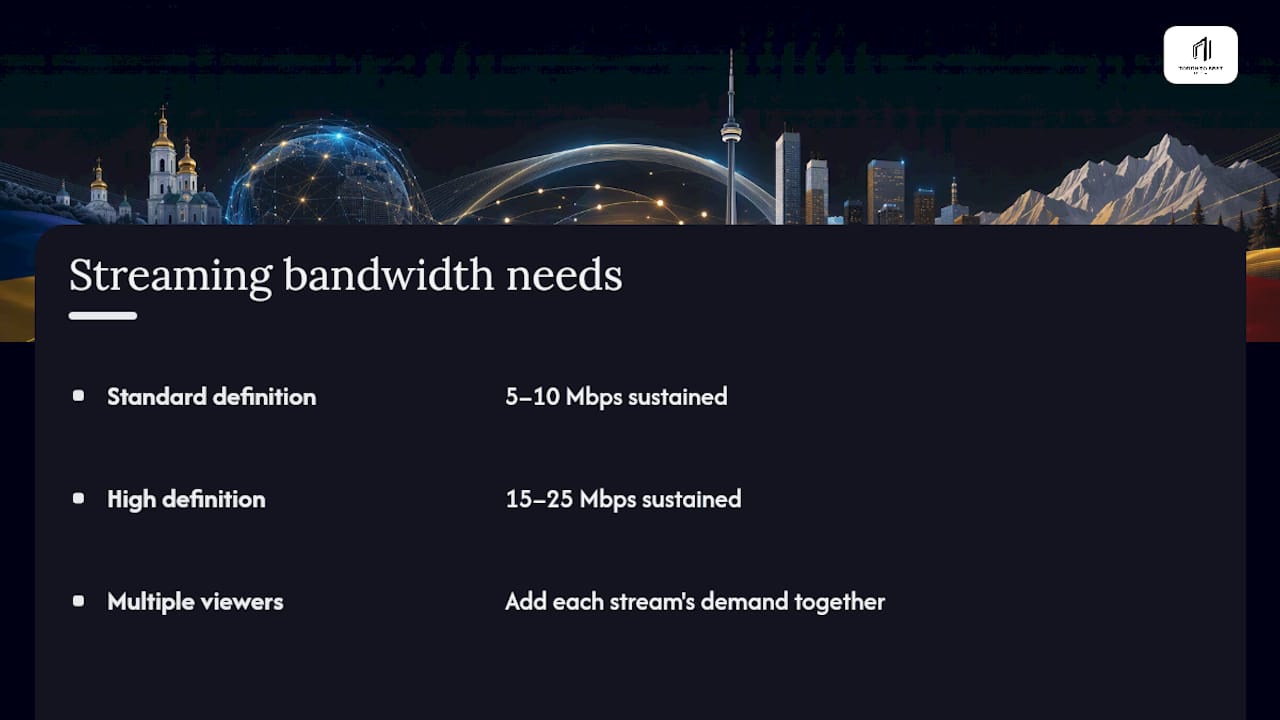
Most live-stream complaints trace back to bandwidth, not the channel itself. Standard-definition streams need roughly 5 to 10 Mbps, while HD wants 15 to 25 Mbps sustained, not just as an advertised top speed. If multiple people in your household stream at once, add that demand up before blaming the app.
A few quick fixes solve most problems: update your streaming app and device operating system regularly, clear the app's cache if playback stutters after weeks of use, and avoid running the same account on too many devices simultaneously.
Pro Tip: Before contacting any support line, run a speed test at the exact time you were having trouble, note your device model, and jot down the timestamp of the interruption. Support teams resolve issues faster when you hand them specifics instead of "it was slow last night."
Why a local Canadian IPTV service solves what free streams can't
Free web players are fine for a quick news check, but they weren't built to carry a full lineup, including sports, kids' programming, and Ukrainian entertainment channels, reliably during peak hours. That's the gap a dedicated Canadian IPTV service is designed to close.
A local IPTV service with long-term experience matters when you're troubleshooting at 9 p.m. on a Saturday and need someone who understands Canadian ISPs. Some services use edge routing technology aimed at cutting buffering, particularly useful for anyone also watching live sports like NHL or NFL games on the same connection.
What that translates to for a household weighing options:
- Plans start from a low monthly price, letting you test the waters without a major commitment.
- A trial period allows you to confirm the service works on your specific setup before paying anything.
- Local customer support, rather than a generic offshore help desk.
- Device and setup guidance may be provided for Smart TVs, streaming boxes, and mobile apps.
For a household that wants Ukrainian news alongside everything else, sports, kids' shows, movies, one dependable subscription often beats juggling four different free apps.
Is watching Ukrainian TV in Canada legal?
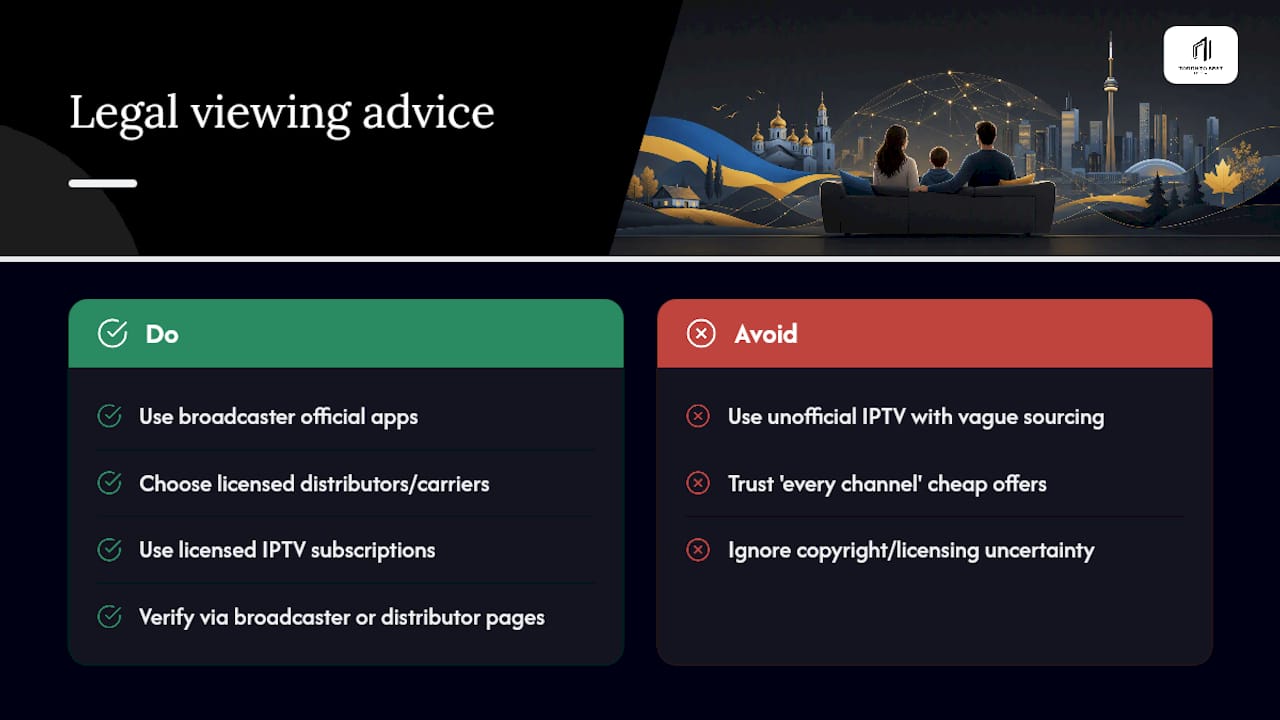
Watching Ukrainian TV in Canada is legal when you use official broadcaster apps, licensed distributors, or a properly licensed IPTV subscription. The legal question isn't about geography, it's about who holds the rights to distribute that content and whether your source has permission to do so.
Free official web players run directly by broadcasters are legitimate, since the broadcaster controls its own distribution rights. Channels carried through recognized distributors like Ethnic Channels Group and delivered through mainstream Canadian carriers are also legitimate, because those carriage deals involve actual licensing agreements, not workarounds.
Where things get murkier is with unofficial IPTV services that stream copyrighted broadcasts without any licensing arrangement in place. These services sometimes market themselves as offering "every channel for a few dollars a month," which is usually a signal that content is being redistributed without proper rights. Canadian copyright law treats unauthorized redistribution of broadcast content as a real legal issue, not just a grey area, and the safest approach is sticking with named broadcaster apps, recognized Canadian distributors, or a licensed subscription IPTV provider.
If you're ever unsure whether a specific app or service has legitimate rights to a channel, that uncertainty itself is worth taking seriously. A quick check of the broadcaster's own official channels, or a distributor's press page, usually clarifies whether a given source is authorized. When in doubt, favour services that are transparent about how they source their channels over ones that stay vague about it.
Do I need a VPN to watch Ukrainian TV in Canada?
Most Canadians watching legally licensed Ukrainian channels through carriers, official apps, or a Canadian IPTV subscription won't need a VPN at all, since these sources are already meant to work from within Canada. A VPN becomes relevant only in a narrower case: when you're trying to access a Ukraine-based broadcaster's own domestic streaming service that geo-restricts access to viewers physically located in Ukraine.
General guidance on watching Ukrainian TV from abroad draws a clear line between using an official web player, which requires no workaround, and trying to unlock a geo-restricted domestic stream, which does. That second scenario sits in a different legal and practical category, since it involves bypassing the broadcaster's own regional licensing terms rather than using a service Canadian viewers are meant to have.
If you do need a VPN for a legitimate personal reason, unrelated to bypassing licensing terms, stick to well-known, reputable providers with strong encryption standards and a clear no-logs policy, rather than free VPN apps that often monetize your data instead of protecting it. Slower connection speeds are common with VPNs, so factor that into your expectations if picture quality matters to you.
The simpler and more reliable path for most Canadian viewers is skipping VPN workarounds entirely and choosing sources already licensed to operate here: carrier-added channels, official apps available in the Canadian store, or a subscription IPTV service built for Canadian viewers from the outset.
How do I pick a legitimate paid IPTV subscription?
Not every IPTV service advertising Ukrainian channels is equally trustworthy, and a few checks upfront save you from a frustrating cancellation process later. Start with how long the company has actually operated, since a provider with a multi-year track record in a specific Canadian city has a reputation to protect that a brand-new, anonymous service doesn't.
Look for a free or low-cost trial period before you pay for a full month or longer. A legitimate service is confident enough in its product to let you test it first; one that demands full payment upfront with no trial option at all is a warning sign worth taking seriously.
Customer support quality matters more than most buyers expect until they actually need it. A provider offering real, reachable local support handles a dropped stream during a hockey game very differently than an anonymous ticketing system with a 48 hour response time.
Finally, check what's actually included in the base price versus what gets billed separately, extra device connections, premium sports add-ons, 4K content libraries. Transparent pricing structures, where add-ons are clearly listed rather than buried, tend to correlate with providers that are straightforward about everything else too, including their channel sourcing and licensing.
What Canadian viewers should prioritize first
If you're deciding where to start, don't overthink it. Try the free news streams this week. If they don't cover what your household actually watches, sports, kids' shows, full Ukrainian entertainment, trial a licensed local IPTV service next. Reliability and real support beat a slightly cheaper option every time.
— Aj
Get set up with Toronto's Best IPTV
Free news streams cover the basics, but they won't get you live sports, kids' programming, or a full Ukrainian entertainment lineup without constant app-switching and buffering during peak hours. Torontobestiptv is the alternative to piecing together five different apps, one Toronto-based subscription with Canadian edge routing built to cut buffering, especially useful if your household is also streaming NHL or NFL games on the same connection.
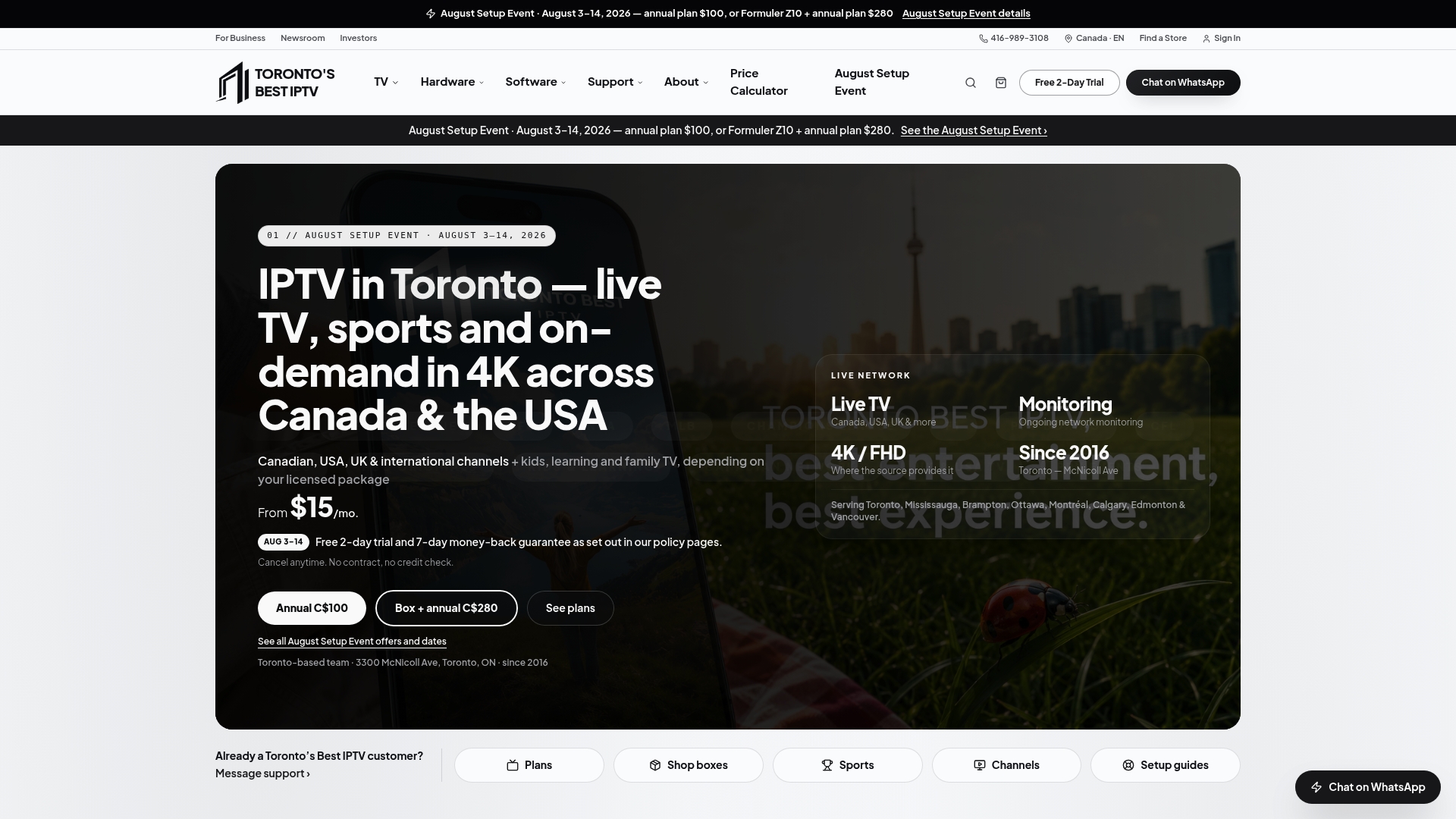
Plans start from $15 CAD a month, with a 6-month option at $65 CAD one-time and a 12-month plan at $100 CAD a year for households ready to commit further. Trials may be offered so you can confirm the channel lineup and stream quality work on your specific Smart TV, streaming stick, or mobile setup before paying anything. Check the full Ukrainian and multilingual channel guide to see what's included, then head to the plans page to start your trial today.
Where to verify channel availability and distributor updates
Channel lineups shift as carriage deals change, so verify before you subscribe anywhere.
- Check CRTC public records and distributor press releases for current carriage approvals.
- Review Ethnic Channels Group announcements for the latest Ukrainian channel additions.
- Confirm your specific carrier's current lineup directly through its own channel guide.
Sources
- Statistics Canada — 2021 Census profile
- Broadcast Dialogue — Canadian carriers add Ukraine channels to basic packages
- Ethnic Channels Group — announcement on Ukrainian channels
- 01net — How to watch Ukrainian TV abroad (VPN guidance and methods)
FAQ
Is Kyivstar TV free to watch in Canada?
Kyivstar TV is a mobile service tied to Ukrainian carrier subscriptions, and it isn't designed as a free standalone option for Canadian viewers. Canadians looking for free Ukrainian programming are better served by official broadcaster web players or channels added directly to Canadian carrier lineups.
Where can I stream TV for free in Canada?
Several Canadian broadcasters offer free ad-supported streaming through their own apps and websites, and some Ukrainian channels are available at no cost through carriers that have added them to basic packages. VMedia's addition of Ukraine24 is one concrete example of free Ukrainian news access in Canada.
Can you watch Global TV live for free in Canada?
Global TV offers some live and on-demand content free through its own official app and website, though full access to every program typically requires a cable or IPTV subscription. This mirrors the pattern with Ukrainian channels: official apps offer partial free access, while full lineups usually sit behind a paid service.
What are some popular Ukrainian TV channels available in Canada?
Ukraine24 and Pershiy Natsionalniy (Channel 1), along with 5 Kanal, are among the Ukrainian channels that have reached Canadian audiences through licensed distributors like Ethnic Channels Group. Exact availability still depends on which carrier or IPTV provider you use.
Does Torontobestiptv include Ukrainian channels in its plans?
Torontobestiptv offers multilingual channel access as part of its Canadian IPTV lineup, with current channel details listed on its channel guide. Pricing starts from $15 CAD a month, with a two-day free trial available to test the lineup before subscribing.