
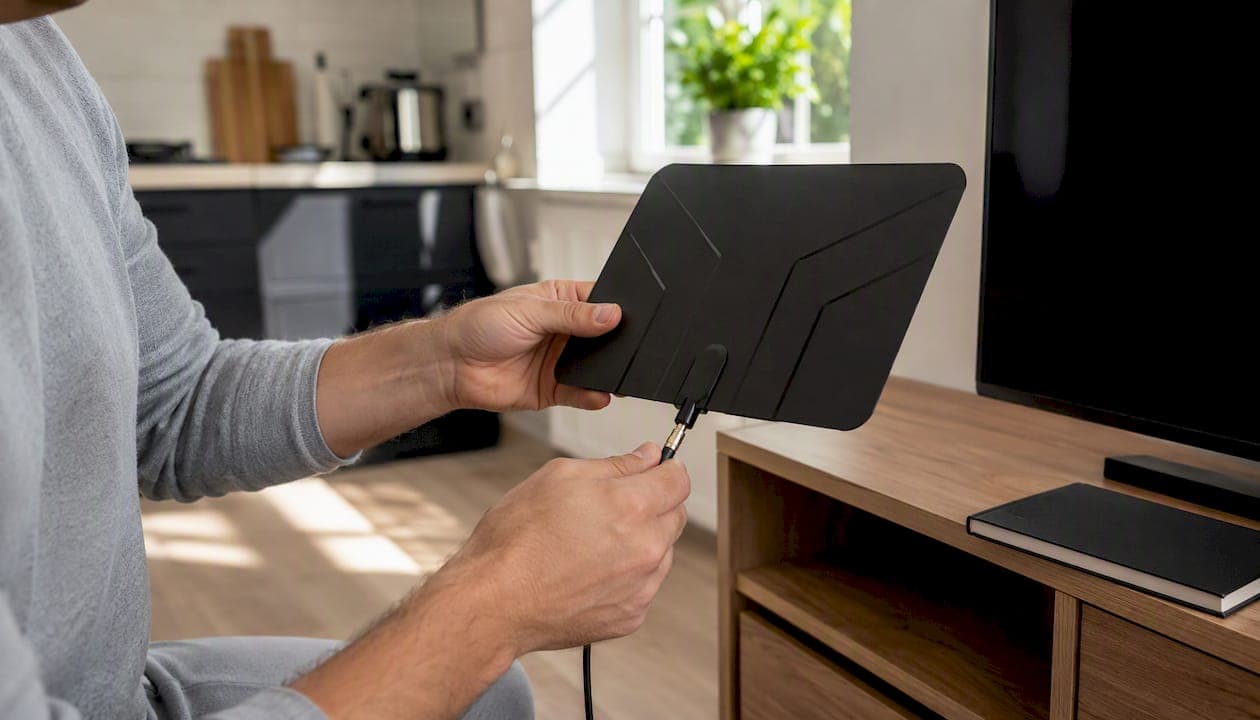
You can stream local channels in Canada without cable right now. The fastest, cheapest route is an HDTV antenna, which pulls in CBC, CTV, Global, and Citytv for free with no monthly fee. The easiest all-internet path is a Canadian live TV bundle or an IPTV service like Torontobestiptv, which handles everything over your existing broadband connection.
If you're in a city like Toronto, Hamilton, or Vancouver, an antenna is almost always your first move. Rural viewers with weak signals, or anyone who needs reliable multi-room sports streaming, will get more mileage from a paid IPTV plan. Here's where to start:
- Buy or borrow an indoor HDTV antenna (CAD $25–$80) and run a channel scan on your TV today.
- Install the free broadcaster apps — CBC Gem, CTV App, Global TV App, and Citytv+ — on any smart TV, phone, or streaming stick.
- Try a two-day free trial of Torontobestiptv if you want live sports, multi-room access, or you're in a low-signal area.
Key takeaways
The most practical path to streaming local channels in Canada without cable is an HDTV antenna for free live broadcasts, Canadian broadcaster apps for on-demand content, and a paid IPTV service when you need reliable sports and multi-room access.
| Point | Details |
|---|---|
| Antenna is the cheapest start | An indoor HDTV antenna costs CAD $25–$80 one-time and delivers free CBC, CTV, Global, and Citytv in most Canadian cities. |
| Broadcaster apps fill the gaps | CBC Gem, CTV App, Global TV App, and Citytv+ are free and cover live and on-demand content where antenna signals are weak. |
| FAST apps suit news, not sports | Roku Channel, Pluto TV, and Tubi offer free local news feeds but don't carry full primetime schedules or live regional sports. |
| US live-TV bundles don't work in Canada | Many US streaming services are unavailable here; check Canadian options like StackTV or RiverTV by postal code before subscribing. |
| Torontobestiptv covers the rest | Canadian edge routing, live sports, and a two-day free trial make it the recommended paid upgrade for multi-room and sports households. |
Handy links for Canadian viewers
Use these resources to check availability, download apps, and get set up:
- CBC Gem: Live and on-demand CBC programming. Download from your device's app store or stream in a browser.
- CTV App: Live and on-demand CTV content. Available on iOS, Android, Roku, Fire TV, and Apple TV.
- Global TV App: On-demand Global primetime and some live content. Download from your app store.
- Citytv+: Live Citytv stream in select Canadian markets. Check availability for your city on the site.
- AntennaWeb: Enter your Canadian postal code to find broadcast towers near you and the antenna type recommended for your distance.
- Torontobestiptv channel guide: Browse the full channel lineup including Canadian, US, sports, and international channels before starting your trial.
- Cord cutting in Canada 2026 guide: A broader look at all your options for replacing cable in Canada, with cost comparisons and setup advice.
Table of Contents
- What are your real options for watching local TV without cable?
- How to set up an HDTV antenna and get free local channels
- What do the Canadian broadcaster apps actually give you?
- Can free FAST apps replace local channels for Canadian viewers?
- What paid live-TV streaming options actually work in Canada?
- How do HDHomeRun and Tablo let you stream OTA to every TV?
- Why Torontobestiptv is worth considering as a paid alternative
- How do you choose the right setup for your home?
- Quick setup checklist and fixes when something goes wrong
- What's the simplest setup for most Canadians?
- Torontobestiptv: a Canada-focused paid option worth trying
- Sources
What are your real options for watching local TV without cable?
Here's a plain-language summary of every realistic method, so you can skip straight to the section that fits your situation.
- HDTV antenna (OTA): Pulls in CBC, CTV, Global, Citytv, and sometimes PBS over the air. One-time cost, no subscription. Pro: completely free after purchase. Con: signal quality depends on your distance from broadcast towers.
- Canadian broadcaster apps (CBC Gem, CTV App, Global TV App, Citytv+): Free apps with live streams and on-demand libraries. Pro: no hardware needed. Con: live local feeds vary by market; not every city gets a live stream.
- FAST and news aggregator apps (Roku Channel, Pluto TV, Tubi): Free, ad-supported platforms with local news feeds. Pro: zero cost, easy to set up. Con: no full primetime network schedules or live regional sports.
- Canadian live TV bundles (StackTV, RiverTV): Paid subscriptions with a curated channel lineup. Pro: no antenna required. Con: monthly fee, and many US live-TV bundles are not available in Canada.
- Network tuners with DVR (HDHomeRun, Tablo): Hardware that streams your antenna signal to every device in the house and adds recording. Pro: one antenna, many TVs. Con: upfront hardware cost plus optional subscription for guide data.
- IPTV (Torontobestiptv): Paid internet-delivered TV with live channels, sports, and on-demand. Pro: broad channel lineup, Canadian edge routing, works on most devices. Con: requires reliable broadband.
Pro Tip: The best value for most Canadian households is a hybrid: an antenna for free live locals plus one broadcaster app or a low-cost IPTV plan for everything else. You get the best of both worlds without paying for channels you never watch.
How to set up an HDTV antenna and get free local channels
An HDTV antenna is the single most cost-effective way to watch local TV without cable. Indoor antennas typically cost CAD $25–$80, and once it's plugged in, you pay nothing month after month. In most Canadian cities, a basic indoor antenna picks up CBC, CTV, Global, Citytv, and sometimes a handful of US border stations.
Step-by-step antenna setup
- Find the antenna input on your TV. Look for a coaxial port labelled "ANT IN" or "RF IN," usually on the back or side panel.
- Connect the antenna. Screw the coaxial cable from the antenna into that port. If your antenna has a USB power cable for amplification, plug that into a USB port or wall adapter.
- Point toward broadcast towers. In Toronto, towers are concentrated northeast of the city. Use a free tool like AntennaWeb or the Canadian OTA signal map at TVFool to find the direction and distance to your nearest transmitters.
- Run a channel scan. On most TVs: go to Settings → Channels → Auto Scan (or "Air" scan). The TV will find every receivable channel automatically.
- Lock in your channels. Once the scan finishes, browse the list and note which local networks came in clearly. Rescan periodically — broadcasters occasionally add or move frequencies.
Troubleshooting weak or missing channels
- Reposition the antenna before anything else. Moving it even 30 cm toward a window often makes a measurable difference.
- Try an amplified antenna if you're more than 50 km from towers or in a building with thick concrete walls.
- Mount in the attic or outdoors for the strongest possible signal. An outdoor directional antenna can reliably pull in signals from 80–100 km away in flat terrain.
- Check for interference from nearby electronics, metal blinds, or low-e window coatings, which can block UHF signals.
- Rural and remote areas may have very few receivable channels or none at all. In those cases, a network tuner with IPTV is a more practical solution than chasing a weak OTA signal.
Pro Tip: In a Toronto or Vancouver apartment, place the antenna as high as possible on an exterior-facing wall. Avoid positioning it behind a TV or inside a cabinet. Even a modest repositioning can turn a pixelated picture into a rock-solid HD signal.
What do the Canadian broadcaster apps actually give you?
The four major Canadian networks each offer a free app, and together they cover a lot of ground. The catch is that "live" availability is not universal — it depends on your market and the specific app.
CBC Gem is the most fully featured of the four. It streams live CBC programming in most Canadian markets and carries a deep on-demand library of CBC originals, documentaries, and news. No subscription is required for the free tier, though a paid tier removes ads.
CTV App offers live streaming in select markets and a broad on-demand catalogue. Live local news is available in cities where CTV has a local affiliate feed, but primetime live access can vary. The app works on iOS, Android, Roku, Fire TV, Apple TV, and most smart TV platforms.
Global TV App provides on-demand access to Global's primetime lineup and some live streaming, though live local coverage is more limited than CBC Gem. It's most useful for catching up on shows you missed rather than watching live.
Citytv+ streams Citytv live in several Canadian markets and carries on-demand content. Geo-restrictions apply, so the live feed may not be available in every province.
One thing worth knowing: even where live streams are available, these apps often carry national feeds rather than your specific local affiliate. If you need your city's local news broadcast at 6 PM, an antenna is still the most reliable way to get it. The apps are best treated as a complement to OTA, not a full replacement.
Can free FAST apps replace local channels for Canadian viewers?
Free ad-supported streaming platforms are genuinely useful for local news, but they have real limits. FAST platforms like Tubi, Pluto TV, and The Roku Channel stream many local news feeds, but they don't carry full primetime network schedules or live regional sports. Think of them as a news and weather supplement, not a cable replacement.
Here's what each platform realistically offers Canadian viewers:
- The Roku Channel: Integrates with Roku TV's live guide and carries 500+ free live channels, including local NBC news feeds in some US markets. Canadian local coverage is limited, but it's a solid free news source.
- Pluto TV: Offers dozens of themed live channels including news, but Canadian-specific local feeds are sparse. Good for background news and entertainment.
- Tubi: Primarily on-demand, with a large free library. Not a live local news source, but useful for catching up on older Canadian TV content.
- NewsON and Haystack News: Aggregate local news clips and live streams from hundreds of stations, mostly US-based. Canadian coverage exists but is not comprehensive.
To find local feeds inside these apps, look for a "Local" or "News" category in the channel guide. Some apps ask for your postal code or location to surface region-relevant content.
Pro Tip: If you're using a Roku TV, connect an HDTV antenna to the coaxial input. Roku TV automatically adds your OTA channels to the live TV guide alongside streaming channels, giving you a single unified programme guide with no extra hardware.
What paid live-TV streaming options actually work in Canada?
This is where a lot of Canadian cord-cutters run into frustration. Many US live-TV bundles — services that carry local ABC, CBS, NBC, and FOX affiliates in American cities — are simply not available in Canada. Live TV streaming availability differs significantly between Canada and the US, and licensing restrictions mean you can't just sign up for a US service from a Canadian address.
The Canadian-compatible paid options worth knowing:
- StackTV (via Amazon Prime Video Channels): A Canadian bundle that adds Crave, Global, HGTV Canada, Food Network Canada, and others on top of Prime. It's not a full local-channel replacement but adds solid network content.
- RiverTV: A Canadian live TV streaming service with a lineup of Canadian specialty channels. Local network coverage is limited compared to what a US bundle would offer.
- Regional provider apps (Bell Fibe TV app, Rogers Ignite TV app): If you already have internet from a major Canadian provider, their TV apps sometimes allow streaming of local channels as part of a skinny bundle. Worth checking if you're already a customer.
The honest reality is that no Canadian streaming service replicates the full local-channel experience of a US live-TV bundle. That gap is exactly why the antenna-plus-broadcaster-app hybrid remains the most practical setup for most Canadians, and why a full-service IPTV option fills the remaining holes for sports and multi-room viewing.
Always check availability by postal code before subscribing. Free trials are your best friend here — use them to confirm that the channels you actually watch are available in your market before committing to a monthly fee.
How do HDHomeRun and Tablo let you stream OTA to every TV?
An antenna gives you free local channels on one TV. A network tuner like HDHomeRun or Tablo takes that same antenna signal and distributes it to every device in your home over Wi-Fi or ethernet, and adds DVR recording on top. Think of it like a personal broadcast server sitting on your home network.
Here's how to set one up:
- Connect your antenna to the tuner's coaxial input. The tuner box sits between your antenna and your router, not your TV.
- Connect the tuner to your home router via ethernet cable for the most stable signal distribution.
- Install the companion app on each device you want to watch on: Roku, Fire TV, Android TV, Apple TV, iOS, or Android phone.
- Run a channel scan inside the app. The tuner finds all receivable OTA channels and makes them available to every connected device simultaneously.
- Set up recording schedules through the app's programme guide. Most tuners support recording to an attached USB hard drive (HDHomeRun) or a built-in drive (some Tablo models), with optional cloud DVR on select plans.
Key things to know about each class of tuner:
- HDHomeRun: Streams to devices on your local network; requires a separate storage drive for DVR. The free guide data covers basic channel listings; a paid subscription adds richer programme info.
- Tablo: Some models include built-in storage or cloud DVR options. The app experience is polished and works well for households with multiple TVs and mobile viewers.
- Storage planning: A single HD recording uses roughly 8–10 GB per hour. A 1 TB external drive gives you about 100 hours of recorded content, which covers most households comfortably.
For a Canadian household with multiple TVs, a tuner setup avoids buying separate streaming boxes for each room while keeping local channels free.
Why Torontobestiptv is worth considering as a paid alternative
When OTA reception is unreliable, or when you need live NHL, NFL, and Premier League alongside your local channels, a dedicated IPTV service fills the gap that broadcaster apps and FAST platforms can't. Torontobestiptv has been operating out of Toronto since 2016, and its Canadian edge routing is the detail that actually matters for live sports: it reduces buffering by keeping your stream traffic on Canadian network infrastructure rather than routing it through distant US servers.
What the service includes:
- Live TV channels from Canada, the USA, UK, and internationally
- On-demand library of movies and series
- Live sports: NHL, NFL, Premier League, MLB, UFC
- Compatible with Fire TV, Android TV, Apple TV, Roku (where supported), and most smart TVs
- Pre-configured IPTV boxes available with a two-year warranty
- Device setup tutorials and local Canadian customer support
- A two-day free trial before any commitment
Torontobestiptv makes the most sense for three types of households. Sports fans who need consistent, low-latency streams for hockey and football will notice the difference that Canadian edge routing makes compared to a generic streaming service. Multi-TV households save money by adding device connections as modest monthly add-ons rather than buying separate subscriptions. And viewers in areas with poor OTA reception but solid broadband get a full local and international channel lineup without fighting a weak antenna signal.
Pro Tip: Before your two-day trial, check the channel guide to confirm the specific local and sports channels you care about are in the lineup. That way you can test exactly what matters to you during the trial window.
Setup is straightforward: the site's device tutorials walk you through installation on Fire TV, Android TV, and Apple TV step by step, and local support is available if anything doesn't go as expected.
How do you choose the right setup for your home?
The right answer depends on four things: where you live, what you watch, how many TVs you have, and how much you want to spend each month. Work through this checklist and your path becomes clear.
- Check your OTA signal strength first. Use a free signal map (AntennaWeb or TVFool) and enter your postal code. If you're in a major Canadian city within 50 km of broadcast towers, an antenna will almost certainly work.
- Set a budget shape. One-time cost only? An antenna plus free apps is your answer. Comfortable with a monthly fee for more content? A broadcaster app subscription or IPTV plan makes sense.
- Count your TVs and devices. One TV? An antenna plus apps covers you. Three TVs plus phones and tablets? A network tuner or IPTV subscription scales better than buying separate hardware for each screen.
- Identify your must-have content. Local news and primetime? Antenna plus CBC Gem and CTV App. Live NHL and NFL? You need either a sports-focused paid bundle or Torontobestiptv.
- Assess your internet reliability. IPTV and live streaming bundles need a stable connection, ideally 25 Mbps or faster for HD. If your internet drops frequently, OTA is more dependable for live TV.
Scenario examples:
- Toronto apartment, one TV, budget-conscious: Indoor antenna + CBC Gem + CTV App. Total monthly cost: $0.
- Suburban home, two TVs, sports fan: Outdoor antenna + HDHomeRun tuner + Torontobestiptv for sports and international channels.
- Rural home, poor OTA signal, reliable internet: Skip the antenna. Use Torontobestiptv as the primary source and supplement with CBC Gem for on-demand Canadian content.
- Family home, multiple devices, wants everything: Tablo DVR for OTA recording + Torontobestiptv for live sports and international channels. Check local IPTV availability by city to confirm coverage in your area.
Red flags to watch for:
- Unreliable or slow internet (under 15 Mbps) makes live IPTV and streaming bundles frustrating.
- Geo-blocked apps: some broadcaster apps restrict live feeds outside major markets. Always test before assuming.
- Legal note: stick to licensed services. Canadian copyright law applies to streaming, and unlicensed IPTV services carry real legal and security risks.
Quick setup checklist and fixes when something goes wrong
Getting set up: the short version
- Connect your antenna to the TV's coaxial input and run an "Air" or "Antenna" channel scan in Settings.
- Download CBC Gem, CTV App, Global TV App, and Citytv+ from your device's app store and sign in with a free account.
- Check that your streaming apps are updated to the latest version — outdated apps are a surprisingly common cause of playback failures.
- Test on a phone using mobile data (not Wi-Fi) to rule out a router issue if a live stream isn't loading.
- Reboot your router and streaming device if any app shows a buffering or connection error.
Common fixes
- Pixelated or dropping OTA picture: Reposition the antenna higher and closer to a window. Try an amplified model if you're more than 40 km from towers.
- App shows wrong market or missing local feed: Open the app's settings and update your postal code or location. Some apps default to a national feed until you set your region manually.
- IPTV buffering during live sports: Switch from Wi-Fi to a wired ethernet connection if possible. For Wi-Fi, move the router closer or use a Wi-Fi 6 access point. Set your router's QoS (Quality of Service) to prioritise streaming traffic.
- App won't load or crashes: Clear the app cache in your device settings, then force-close and reopen. If the problem persists, uninstall and reinstall.
- Recommended internet speed for live IPTV: 25 Mbps or faster for HD, 50 Mbps or faster if multiple devices are streaming simultaneously.
When contacting support, have your postal code, device model, app version, and a screenshot of any error message ready. That information cuts troubleshooting time significantly.
What's the simplest setup for most Canadians?
For the majority of Canadian cord-cutters, the answer is: indoor antenna + CBC Gem + CTV App, with Torontobestiptv as the upgrade when you need more.
- Best for low cost: A CAD $25–$80 indoor antenna covers free live locals in most cities. Add the broadcaster apps for on-demand, and your monthly TV bill drops to zero.
- Best for reliability and performance: Torontobestiptv with Canadian edge routing handles live sports, multi-room streaming, and international channels without the signal headaches of a weak OTA environment.
Start with the antenna. It costs less than one month of cable and takes 15 minutes to set up. If it covers your local news and primetime needs, you're done. If you want sports, more channels, or whole-home streaming, the two-day free trial at Torontobestiptv is the natural next step.
A note from Aj
My experience with antenna installs and IPTV setups across Canadian homes goes back years, and the pattern is consistent: most people overcomplicate this.
Torontobestiptv has been operating locally in Toronto since 2016. The Canadian edge routing isn't marketing language; it's the reason live NHL streams hold steady during playoff overtime when other services start buffering. The device tutorials on the site are written for real Canadian setups, and the support team is local, not a chatbot in another time zone.
I'll be transparent: Torontobestiptv is the publisher of this guide and offers a paid IPTV service as one of the options covered here. That said, the antenna-first recommendation stands on its own merits. Start free, upgrade only if you need to.
Torontobestiptv: a Canada-focused paid option worth trying
If you've worked through the antenna and free app options and still find yourself missing live sports, international channels, or reliable whole-home streaming, Torontobestiptv is the practical next step for Canadian households.
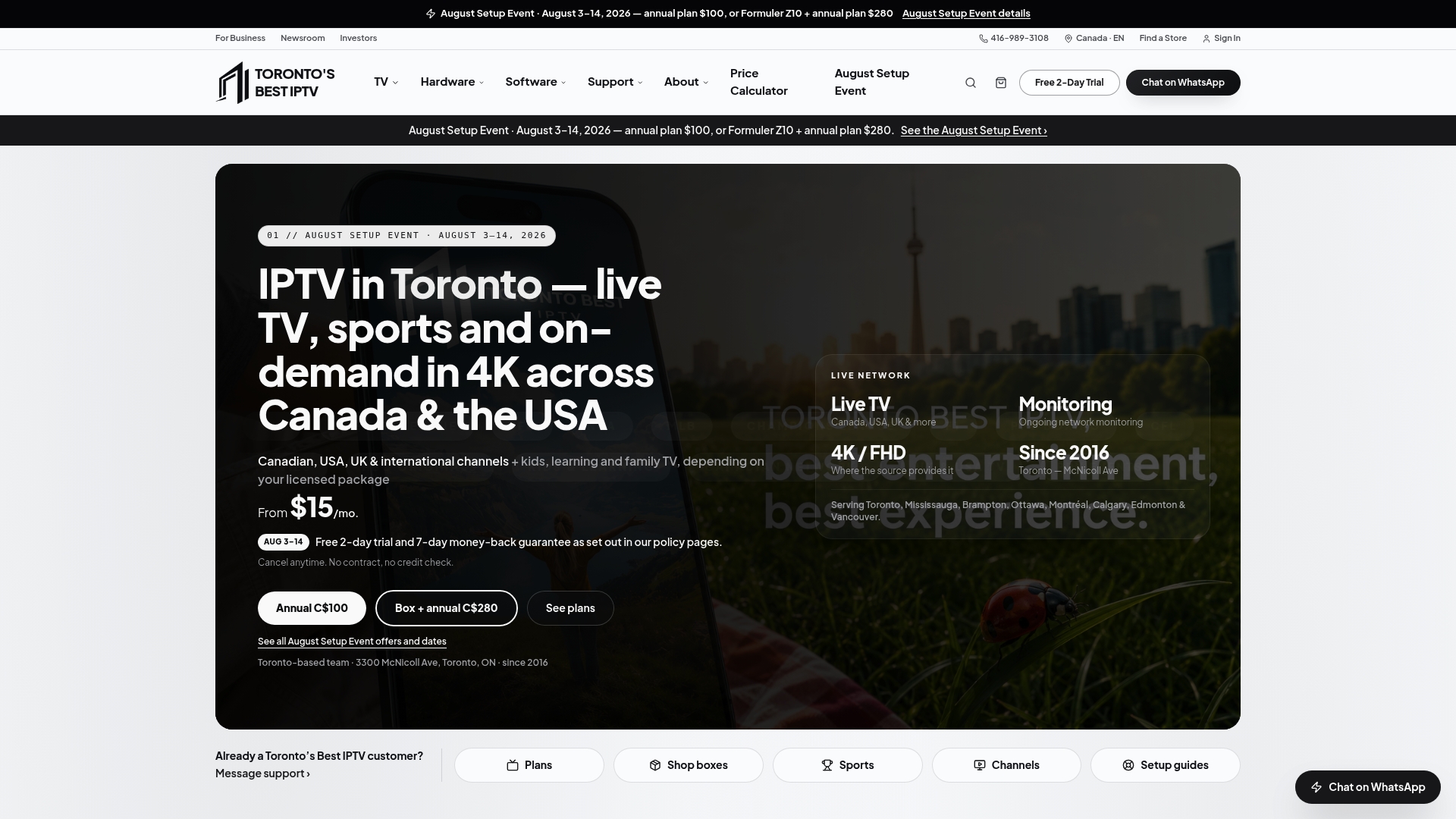
The service delivers live TV channels from Canada, the USA, UK, and internationally, a full on-demand library, and live sports including NHL, NFL, Premier League, and UFC — all routed through Canadian edge servers to keep buffering low even during peak game times. It works on Fire TV, Android TV, Apple TV, Roku, and most smart TVs, and pre-configured IPTV boxes with a two-year warranty are available if you'd rather have a plug-and-play setup. Plans start from $15 a month, and you can estimate your cost based on the number of devices you need.
The two-day free trial is the easiest way to see whether it fits your home. Visit Torontobestiptv to start your trial, browse the channel lineup, and reach the local support team if you have questions about setup.