
Most Canadian sports fans do best with a short stack of two or three services matched to their favourite leagues, a solid internet connection, and a local IPTV option to handle the games that keep buffering elsewhere. That's the whole answer. A significant portion of Canadian households have dropped cable entirely, and many now pay for at least one streaming service, so you're not choosing between "cable or nothing" anymore. You're choosing which handful of apps actually cover your teams, and Torontobestiptv is one of the local pieces that can round out that stack.
Here's the shortlist before we get into specifics:
- Hockey-focused viewers: national hockey coverage through a broadcaster app, paired with a local IPTV option for out-of-market games.
- NFL fans who need every game: a cable-replacement live-TV streamer or a league-specific package, depending on your market.
- Best free option: the public broadcaster's free streaming platform, especially during major international events.
- International soccer and combat sports fans: a global sports platform with league-pass style access.
- Anyone tired of buffering during a third-period power play: a local IPTV service with Canadian edge routing.
- Budget-first households: CBC Gem plus one paid service, stacked seasonally instead of year-round.
The comparison table below breaks each of these down by price, device support, and blackout behaviour so you can match the right combination to your own viewing habits.
Key Takeaways
Most Canadian sports fans get the best results from a short, sport-matched service stack backed by a fast connection and a low-latency local IPTV option.
| Point | Details |
|---|---|
| No single best service | Coverage depends on which leagues you follow, since rights are split across broadcasters and platforms. |
| Stacking beats one app | Combine a national broadcaster app, a free public option, and a local IPTV service for full coverage. |
| Blackouts hit regionally | Out-of-market restrictions vary by broadcaster tier, so check this before committing to an annual plan. |
| Test during a live game | Confirm picture quality and buffering on your actual TV device during a trial, not a random replay. |
| Torontobestiptv as the local layer | Plans start from a low monthly rate with Canadian edge routing and a two-day free trial to test buffering before you pay. |
Table of Contents
- Best sports channels streaming Canada: the at-a-glance comparison
- Service breakdowns: what each option actually gets you
- How do I choose the right sports streaming setup?
- How does Canadian edge routing reduce sports streaming buffering?
- What most Canadian fans actually do
- Client spotlight: how Torontobestiptv fixes the buffering problem
- Frequently asked questions
- Sources
Best sports channels streaming Canada: the at-a-glance comparison
Picking the right combination comes down to five things: which sport you follow, whether blackouts affect your region, how many devices you need to cover, whether you want a free tier first, and how much buffering you're willing to tolerate during a live broadcast. The table groups Canada's main streaming categories side by side so you can see where the trade-offs actually sit.
| Category | Price (approx.) | Best for | Live channels vs. league packages | Device support | Blackouts / regional notes | Trial or free tier | Quality & simultaneous streams | Bundle availability |
|---|---|---|---|---|---|---|---|---|
| National-sports broadcaster app | Monthly or annual tiers, standard vs. premium | Regional NHL, CFL, tennis, some soccer | Mostly live regional channels, some league add-ons | Smart TVs, streaming sticks, mobile, browser | Some out-of-market games restricted by tier | Rarely, occasional promo windows | HD standard, limited simultaneous streams on base tier | Sometimes bundled with telecom internet or TV plans |
| Multisport global platform | Monthly or annual, often with regional pricing | Combat sports, international soccer, niche leagues | League-pass style packages more than live channel grids | Smart TVs, consoles, mobile, browser | Generally fewer local blackouts, some event-specific restrictions | Limited free previews for select events | HD across most content, stream limits vary by plan | Rarely bundled |
| Cable-replacement live-TV streamer | Monthly tiers scaling with channel count | Households replacing cable entirely, NFL and RSN access | Full live channel grid plus cloud DVR | Smart TVs, streaming sticks, consoles | Regional sports network blackouts still apply | Short free trial windows, subject to change | HD/4K on select channels, multiple simultaneous streams | Not typically bundled with Canadian telecoms |
| Public broadcaster free offering | Free | Olympics, major international events, some CFL and soccer | Live event coverage, limited year-round grid | Smart TVs, streaming sticks, mobile, browser | Minimal blackout issues since it's rights-limited by design | Always free | HD, generally unlimited simultaneous streams | Not applicable |
| Local IPTV service (Torontobestiptv) | Plans starting from $15 a month | Fans juggling multiple leagues who want one low-buffering source | Broad live channel lineup across sports, entertainment, and international content | Smart TVs, Android/Google TV, Fire TV, Apple TV, pre-configured boxes | Canadian edge routing designed to reduce blackout-related buffering issues | Two-day free trial | HD/4K depending on channel, multiple device connections available as add-ons | Not tied to telecom bundles, works alongside them |
Price last checked: January 2026. Streaming prices move often enough that providers raised rates through 2026, so treat these as directional and confirm current pricing before you commit to an annual plan.
A couple of columns deserve a second look. The "best for" column isn't about overall quality. It's about rights. No single streaming service in Canada carries every league, so a service that's fantastic for hockey might be irrelevant for soccer. The blackout column matters most if you live outside a major market. Regional sports networks still control local game rights even when the streaming wrapper looks national, which is the single biggest source of frustration fans report during the playoffs.
Service breakdowns: what each option actually gets you
Each category below solves a different problem. Match yours to the one that fits before you open your wallet.
National-sports broadcaster app (regional hockey rights). This is the default choice for hockey-first households. Expect nightly NHL coverage tied to your regional market, plus CFL and some tennis and golf coverage layered on top. Pricing runs on tiered plans, standard versus premium, where the premium tier typically unlocks more out-of-market games. There's rarely a free trial outside short promotional windows. Device support covers the usual smart TV and streaming stick lineup, and simultaneous streams are often capped tighter on the base tier than fans expect.
- What to watch: NHL regional games, CFL, tennis majors
- Trial: rare, promo-dependent
- Devices: smart TVs, streaming sticks, mobile, browser
- Who should choose this: a fan whose team's local broadcast rights sit with this network and who doesn't need out-of-market access
Multisport global platform (league passes, combat sports). This category leans hard into international soccer, boxing, MMA, and niche sports that Canadian broadcasters don't always prioritize. Instead of a traditional channel grid, you're often buying access to specific leagues or events, which suits fans who follow one competition closely rather than wanting a full sports network experience. Regional blackouts tend to be lighter here since the rights structure is built for cross-border streaming from the start.
- What to watch: international soccer leagues, boxing and MMA cards
- Trial: limited event previews, not a full free tier
- Devices: smart TVs, consoles, mobile, browser
- Who should choose this: a soccer or combat sports fan whose league of choice isn't carried by a Canadian broadcaster
Cable-replacement live-TV streamer. Think of this as the closest thing to swapping your cable box for an app. You get a full live channel grid, cloud DVR, and typically strong NFL access alongside regional sports network channels. It's the pricier route of the bunch because you're paying for volume, not a single sport. Multiple simultaneous streams make it workable for a household with more than one sports fan under one roof.
Pro Tip: If you're an NFL fan trying to catch every out-of-market game, check whether your household's internet setup supports 4K streaming without buffering before you commit to a full season, since dropped frames during a two-minute drill are the complaint we hear most often.
Public broadcaster (CBC Gem, free events and Olympics). Free is the whole pitch here. CBC Gem carries Olympic coverage, some CFL, and select soccer events without a subscription fee. It won't replace a dedicated sports package, but it's the smartest zero-cost layer to pair with something else, especially during a two-week Olympic window when you don't want to pay for a service you'll cancel in March.
Local IPTV provider (Torontobestiptv). This is where a lot of Canadian households land once they get tired of juggling four apps to follow four leagues. Toronto's Best IPTV bundles a broad channel lineup, including NHL, NFL, Premier League, MLB, and UFC, onto Canadian edge routing built specifically to cut down on buffering during live games. Plans start from a low monthly rate, and the two-day free trial lets you confirm picture quality on your actual TV before paying anything. Pre-configured boxes come with a two-year warranty, which matters if you're not the type who wants to troubleshoot a streaming stick during overtime.
- What to watch: NHL, NFL, Premier League, MLB, UFC, plus international channels
- Trial: two-day free trial
- Devices: smart TVs, Android/Google TV, Apple TV, Fire TV, pre-configured boxes
- Who should choose this: a household following multiple leagues that wants one reliable source instead of stacking four separate apps
How do I choose the right sports streaming setup?
Work through these questions in order, because each one narrows the field faster than starting with price.
- Which leagues do you actually watch weekly? Be honest. If it's just NHL and the odd UFC card, you don't need a full cable-replacement grid.
- Are you in a market with heavy blackout exposure? Fans outside major hubs run into more out-of-market restrictions, which pushes some toward a local IPTV option or a global platform with lighter regional rules.
- How many devices and simultaneous streams do you need? A two-person household watching different games at once needs more stream slots than a solo viewer.
- Monthly or annual? Month-to-month plans give you flexibility to pause during the off-season, while annual plans and telecom bundles sometimes lock in steadier pricing if you watch year-round.
- What's your trial strategy? Line up free trials so they overlap with an actual live game, not a random Tuesday afternoon.
A realistic cost example: a hockey-first household running a national broadcaster app plus a local IPTV service for out-of-market games and international content could expect to pay a moderate combined monthly rate, depending on tiers. Add a global platform for a UFC pay-per-view season and that climbs further, but only during the months you actually need it if you stack month-to-month instead of committing annually.
Watch for these red flags before you pay for a full year upfront:
- Vague or missing cancellation policy on the pricing page
- No mention of simultaneous-stream limits until after you've subscribed
- Device support that excludes the TV or streaming box you actually own
- Blackout language buried in fine print instead of stated plainly
For streaming quality, aim for at least 15 to 25 Mbps for reliable HD live sports, and 40 Mbps or higher if you want stable 4K without rebuffering during high-action plays. Test your actual connection speed during your trial period, not just once, since network congestion during peak game hours behaves differently than a speed test run at 2 p.m. on a Tuesday.
How does Canadian edge routing reduce sports streaming buffering?
Live sports streaming works the same way a FaceTime call does: your device and the server need a fast, short round trip, or the picture stutters. Bandwidth determines how much data can flow, but latency, the delay in that round trip, is what actually causes the freeze-frame during a breakaway. Servers located closer to you, through Canadian edge routing or local CDN nodes, cut that distance down and reduce rebuffering during high-traffic moments like a Stanley Cup overtime.
Pro Tip: During any free trial, watch a live game rather than an on-demand replay, since live traffic is where buffering problems actually show up.
- Run the service during an actual live broadcast, not a test video
- Test on the TV or box you use most often, not just your laptop
- Check what happens when a second device joins the same account
- Note whether out-of-market games get blocked or degrade in quality
As the publisher of this article, Torontobestiptv discloses that its own edge-routing claims are referenced here as part of that same technical picture.
What most Canadian fans actually do
Most of the fans I talk to don't pick one service and stick with it forever. They stack short trials during the pre-season, confirm picture quality and blackout behaviour on their own TV, then commit to whatever combination actually held up during a real game. That's the smartest approach, because a service that looks great on a spec sheet can still stutter during your specific building's internet setup.
Pro Tip: Line up two or three trials back to back during the first week of a new season instead of one at a time. You'll compare them under identical conditions instead of relying on memory.
Seasonality matters more than most guides admit. Buy monthly for a sport with a short season and go annual only for the one you'll watch every week of the year.
Client spotlight: how Torontobestiptv fixes the buffering problem
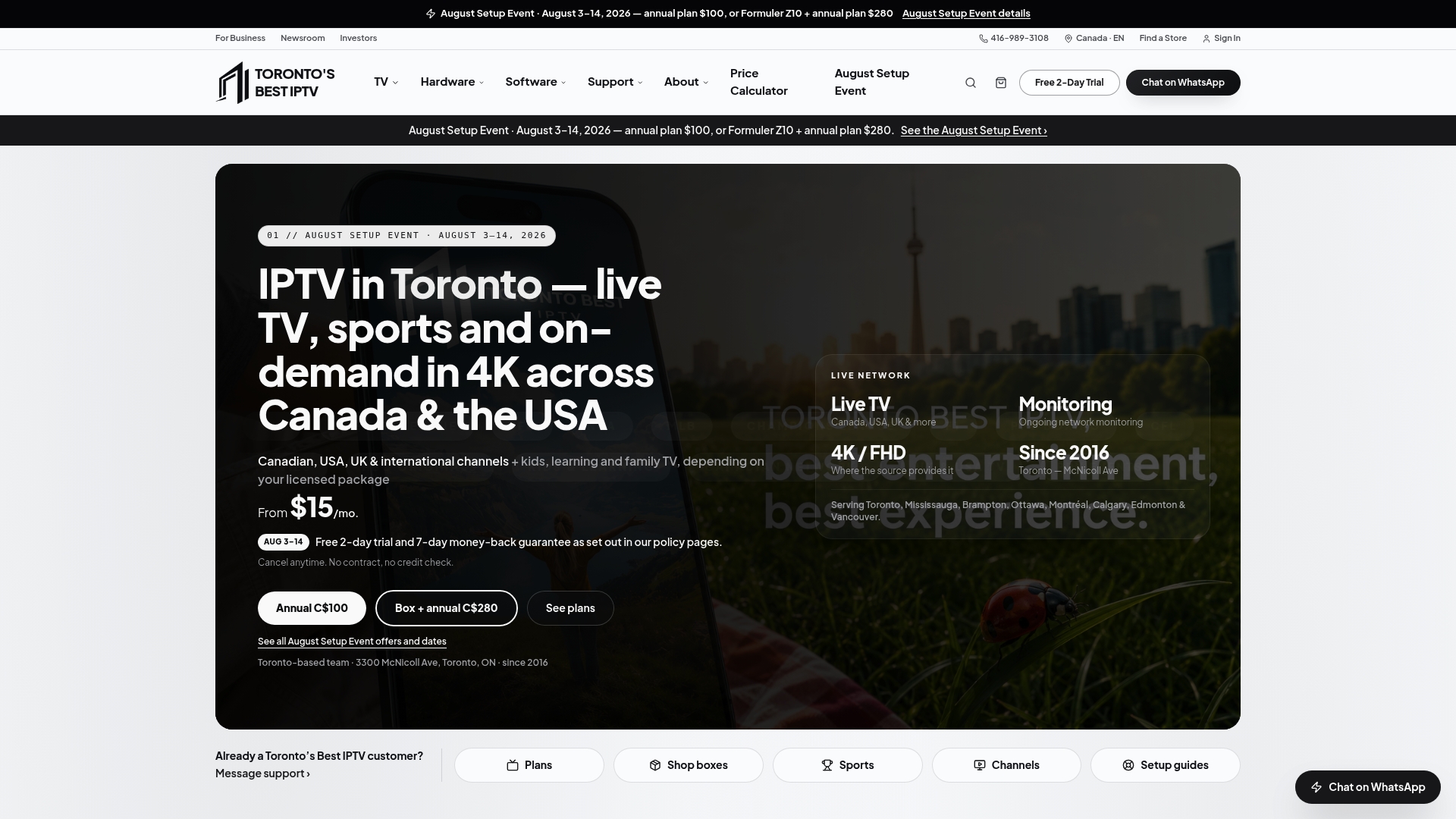
This section is published by Torontobestiptv, and yes, we're going to make the case for our own service here. If you've read this far, you already know the frustration: one app for hockey, another for soccer, a third you forgot you were still paying for. Torontobestiptv exists because Toronto-area sports fans kept asking for one reliable source instead of four separate logins.
Here's what actually matters for live sports specifically:
- Canadian edge routing keeps the connection between you and the stream short, which is the main reason buffering shows up less often during high-traffic moments like playoff overtime.
- Device support spans smart TVs, Android and Google TV, Apple TV, Fire TV, and pre-configured boxes with a two-year warranty, so you're not stuck troubleshooting mid-game.
- The two-day free trial lets you test picture quality on your own TV during an actual live broadcast before paying a cent, which is exactly the trial strategy worth using regardless of which service you end up choosing.
Setup takes minutes rather than hours, plans start from $15 a month, and cancellation doesn't require a phone call you'll dread making. If you're ready to see what your sports lineup looks like on Torontobestiptv, that's the page to start with.
Frequently asked questions
What are the best sports channels streaming Canada has to offer right now? It depends entirely on your sport. Hockey fans lean toward a national broadcaster app, NFL fans often need a cable-replacement streamer, and fans juggling multiple leagues tend to add a local IPTV service like Torontobestiptv to fill the gaps.
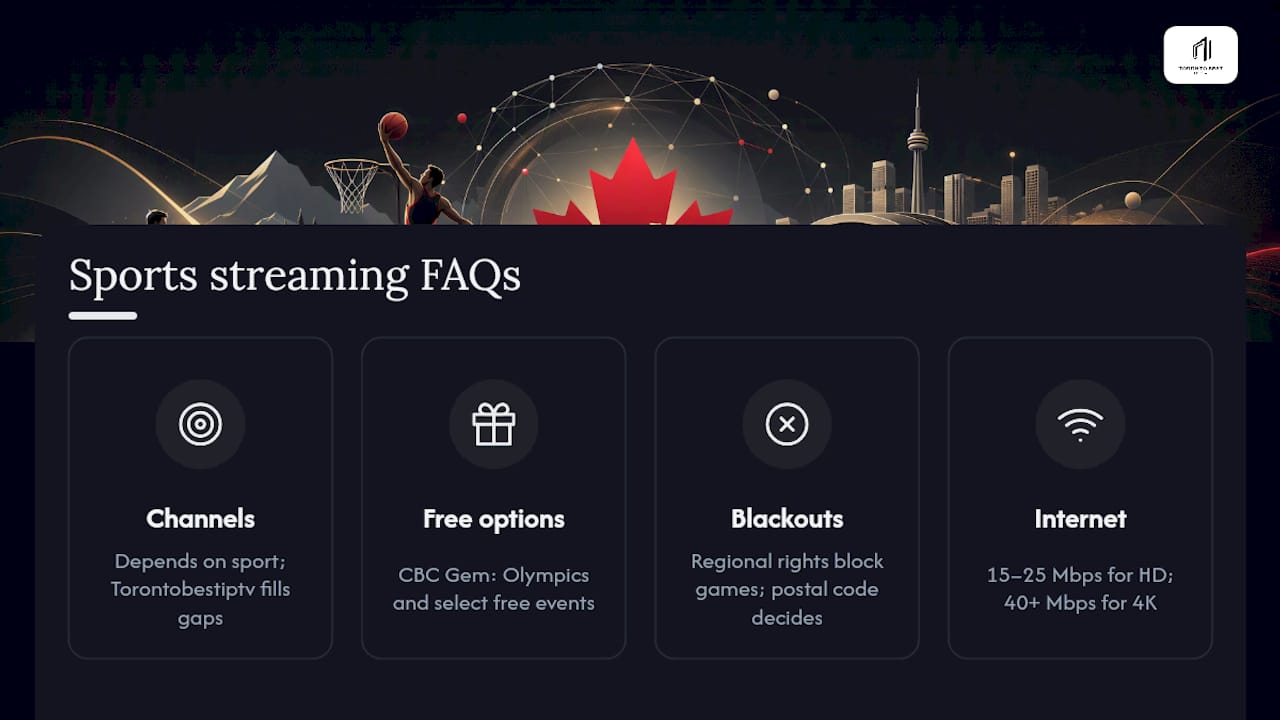
Can I watch live sports in Canada for free? Yes, to a point. CBC Gem carries Olympic coverage and select events at no cost, but it won't replace a full-season package for your favourite league.
Why do I still get blackouts if I'm paying for a streaming service? Regional sports network rights still apply even through streaming apps. Your postal code, not your subscription, often determines whether an out-of-market game is blocked.
How much internet speed do I need for live sports streaming? Aim for at least 15 to 25 Mbps for stable HD, and 40 Mbps or more for 4K without rebuffering during fast-paced plays.
Is stacking multiple sports streaming services actually worth the cost? Often, yes, especially since prices rose across major providers through 2026. Stacking two or three targeted services, month-to-month during the season, usually beats paying for one bloated package year-round.
Sources
Before you commit to a plan, especially an annual one, confirm current pricing and rights directly rather than relying on last season's numbers.
- Best Sports Streaming Services in Canada: 2025 Guide & Reviews
- How much it costs to stream sports in Canada | Daily Hive | Offside
- How to watch the biggest sports games without cable | Best Buy Blog
- CanadaVisa — TV and streaming overview
Treat the "price last checked" line earlier in this article as a starting point, not a guarantee, since rates shift throughout the season.