
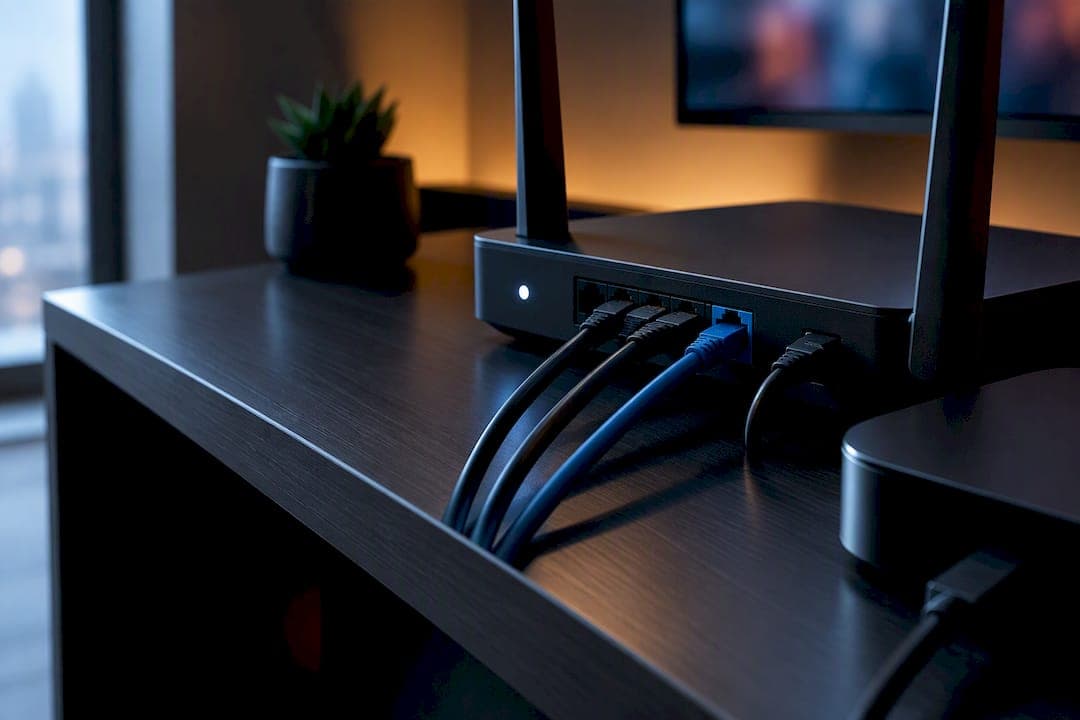
Yes, use a VPN with IPTV: it protects your privacy from your internet provider and app trackers, and it can help you reach channels tied to a different region. Pick a service built on WireGuard, keep a kill switch turned on, and run it at the router level when your box or stick can't install a VPN app on its own. Among the crowded field, NordVPN, Surfshark, and ExpressVPN tend to stand out for IPTV specifically, thanks to router firmware support, WireGuard speed, and, in Surfshark's case, unlimited devices for a house full of screens.
TL;DR:
- Using a VPN with IPTV requires a protocol support that includes WireGuard and a kill switch capable of blocking all traffic immediately if the tunnel drops.
- Router firmware support and a DNS fallback like MediaStreamer are crucial for hardware that cannot run a VPN app directly, especially on older set-top boxes.
- Choosing a VPN with unlimited device connections, such as Surfshark, benefits households with multiple screens, while proximity of servers to the content source reduces buffering and improves performance.
- Setting up a VPN at the router level is generally more reliable for multi-room households compared to installing individual apps on each device.
- Avoid free VPN services and providers lacking a kill switch or nearby servers, as they are more likely to log data or cause buffering issues.
Table of Contents
- Comparing the top VPN picks for IPTV streaming
- How to choose the right VPN for your IPTV setup
- Setting up a VPN for IPTV on your device or router
- Fixing the most common VPN and IPTV problems
- What the research says about privacy, performance, and the law
- Where I land on VPN setups for real households
- A managed alternative: skip the VPN setup entirely
- Sources
- FAQ
Comparing the top VPN picks for IPTV streaming
Not every VPN is built with IPTV in mind, and the differences show up fast once you're juggling a set-top box, a phone, and a smart TV on the same network. The list below focuses on the features that actually matter for smooth, private streaming: protocol speed, router compatibility, and how many screens you can run at once.
A few of these deserve a closer look based on what actually changes your IPTV experience day to day.
NordVPN runs on NordLynx, its own take on WireGuard, and pairs that speed with router firmware for homes where the box itself can't run an app. It's the safest default pick when you just want something that works across a living room setup without much fuss.
ExpressVPN solves a specific headache: older set-top boxes and MAG-style devices that have no VPN app at all. Its MediaStreamer DNS feature reroutes your IPTV app's location signal without encrypting the stream, which is faster but leaves your traffic visible to your provider, a trade-off worth knowing before you rely on it.
Surfshark's unlimited device count is the standout here. If your household runs a smart TV, two phones, a laptop, and a streaming stick all on IPTV, you won't be shuffling logins or paying for extra connections.
CyberGhost labels servers by streaming use, which takes the guesswork out of picking a location, handy if you're new to VPNs and don't want to test six servers before finding one that's fast.
Private Internet Access and IPVanish both lean on large, self-managed networks built for throughput, which matters when you're pushing a 4K sports feed through a router-level tunnel. ProtonVPN takes a privacy-first stance with strong protocol support, good for streamers who care as much about who's watching them as what they're watching. PrivateVPN, Total VPN, and PureVPN round out the field: smaller or more budget-friendly, with PureVPN's country coverage being its main selling point for reaching less common regional feeds.
For IPTV specifically, three features separate a good VPN from a mediocre one: router firmware (so boxes without native app support can still tunnel), a DNS fallback like MediaStreamer for hardware that truly can't handle encryption, and WireGuard availability, since its lean design keeps channel switching responsive on low-power hardware.

How to choose the right VPN for your IPTV setup
Picking a VPN for IPTV comes down to matching the service to your hardware and your household, not chasing whichever name has the flashiest ad. Here's a practical checklist.
- Check protocol support first. WireGuard-based protocols use a codebase roughly 4,000 lines versus OpenVPN's 70,000-plus, which cuts processing overhead on set-top boxes and streaming sticks and keeps channel changes snappy.
- Confirm router firmware exists for your model. If your box can't run apps, this is non-negotiable, and not every VPN publishes firmware for every router brand.
- Ask about kill switch behaviour. A kill switch should block all traffic the instant the tunnel drops, not just pause the app.
- Count your devices honestly. A family with a smart TV, two tablets, and a phone on IPTV needs either an unlimited-device plan or a router-level install that covers the whole house at once.
- Look at server density near your content's source. A server that's geographically close to the content's origin tends to load faster and buffer less than one halfway around the world.
Before signing up, it's worth putting a support team on the spot. Ask directly: does your router firmware support WireGuard, or only OpenVPN? What's your refund window if IPTV performance doesn't hold up? Do you rotate IP addresses, and how often? A vendor that hesitates on any of these is telling you something.
A few red flags are worth walking away from outright: no kill switch offered at any tier, DNS settings that conflict with your router's own configuration, and free VPN tiers, which often log more than they promise or throttle speeds precisely when you need them most. A related risk worth flagging separately: no servers near the region your IPTV feed originates from, which usually means constant buffering no matter how good the protocol is.
Pro Tip: If you're outfitting a single box, a device app is fine. If you're covering a multi-room household, install the VPN at the router level once and skip managing five separate app logins.
Setting up a VPN for IPTV on your device or router
The right setup method depends entirely on what your hardware can do. If your device supports installing apps directly, an app is simpler. If it doesn't, WireGuard on your router does the job for everything connected to your network.
Decision rule: Android TV, Fire TV Stick, iPhone, and Apple TV can all run a VPN app natively, so start there. MAG boxes and older pre-loaded Android devices often can't, which pushes the setup to the router.
Router-level quick checklist:
- Confirm your router's firmware supports WireGuard, not just OpenVPN, since the performance gap matters on modest hardware.
- Set AllowedIPs correctly during configuration so only the traffic you intend gets tunnelled.
- Add a persistent keepalive value (commonly 25 seconds) so the tunnel doesn't silently drop during long viewing sessions.
- Verify kernel-level WireGuard support where available. Kernel-level implementations outperform userspace versions, which matters when multiple 4K streams share one connection.
Device quick steps:
- Android TV or Fire TV Stick: install the VPN provider's app from the store, sign in, connect to a nearby server, then open your IPTV app as usual.
- iPhone or Apple TV: install the app from the App Store, enable the kill switch in settings, and connect before opening your streaming app.
- MAG boxes and legacy hardware: configure the VPN at the router instead, since these boxes typically can't run third-party apps at all.
WireGuard specifics worth knowing: on Android, the "block connections without VPN" setting acts as a built-in kill switch, while macOS relies on its PF firewall to do the same job. Neither happens automatically unless you turn it on.
Fixing the most common VPN and IPTV problems
Most VPN-related IPTV complaints trace back to one of four causes, and each has a fairly quick fix.
- Buffering: switch to a server physically closer to the content's source, try WireGuard if you're on OpenVPN, then briefly disconnect the VPN to check whether your provider was throttling you in the first place.
- IPTV service blocking your VPN's IP: rotate to a different server or IP within the same app, since many VPNs cycle addresses specifically to dodge blocklists.
- DNS leaks or silent drops: run a leak test after connecting, and confirm your kill switch is active. WireGuard doesn't automatically block unencrypted traffic when a tunnel drops, so a firewall-level kill switch, built with nftables hooks on Linux-based routers, has to be configured separately.
- Legacy boxes that can't handle full encryption: a DNS-only fallback like MediaStreamer solves the access problem without the privacy benefit, a reasonable compromise for older hardware with no better option.
Pro Tip: Test your connection without the VPN first whenever buffering starts. If the problem disappears, it's your VPN's server or protocol, not your internet provider.
What the research says about privacy, performance, and the law
Smart TVs and streaming boxes routinely run automated content recognition and telemetry that fingerprints what you watch. A VPN can mask the external destinations that telemetry gets sent to, but it can't stop the on-device collection itself, since that happens before your traffic ever leaves the box.
WireGuard's leaner codebase measurably reduces processing overhead on embedded streaming hardware, which is why it handles channel switching more smoothly than OpenVPN on underpowered boxes, according to a protocol comparison from Cybernews.
On the legal side, Canada's telecom regulator determined it lacked jurisdiction to mandate site-blocking for piracy, leaving notice-and-notice as the main enforcement tool. A VPN changes what your provider can see. It does not make an unlicensed IPTV stream legal to watch.

Where I land on VPN setups for real households
For most homes, WireGuard on a capable router beats juggling device apps, especially once you've got more than two screens. Single-box setups are fine with a device app; frequent travellers benefit most from unlimited server switching. Perfect privacy and total convenience rarely arrive together, so pick the trade-off that matches how your household actually watches.
— Aj
A managed alternative: skip the VPN setup entirely
If assembling a VPN, a router configuration, and an IPTV subscription sounds like more troubleshooting than you signed up for, a managed IPTV subscription solves a different problem: reliability without the technical assembly. A managed IPTV subscription can build its service around edge routing designed to cut buffering on live sports like NHL and NFL, and plans may include setup help from a local support team rather than a support ticket queue.

- Two-day trial: test the service before committing to a monthly, six-month, or annual plan
- Pre-configured boxes: skip the router firmware entirely with hardware set up before delivery.
- Local support: setup help from a local support team.
- Pre-configured boxes: skip the router firmware entirely with hardware set up before delivery.
- Local support: setup help from a local support team.
This route makes the most sense when you'd rather pay for done-for-you reliability than manage protocols and firmware yourself. Compare plans starting at $15 a month against the DIY VPN route above and see which fits your household better.
Sources
These sources back the legal, technical, and privacy claims made throughout this guide.
- Submissions and consultations: copyright policy (Canadian sources on piracy and distribution)
- WireGuard kill switch guide 2026: No DNS leaks
- WireGuard vs OpenVPN: which is better?
- Telecom decision CRTC 2018-384
FAQ
Does IPTV work with a VPN?
Yes, IPTV works with a VPN in most cases, whether you install the VPN as an app on your device or configure it at the router level for boxes that can't run apps. The main adjustment is picking a server close to your content's source to avoid added buffering.
Is IPTV blocked in Canada?
Licensed IPTV services are not blocked in Canada, and unlicensed services aren't subject to mandatory site-blocking either, since the CRTC determined it lacks jurisdiction to impose one. That leaves notice-and-notice as the main enforcement tool rather than outright blocking.
Do I need a VPN for IPTV?
A VPN isn't required to use a licensed IPTV subscription, but it adds privacy protection from telemetry and can help if your provider throttles streaming traffic. For a licensed service like Toronto's Best IPTV, a VPN is optional rather than necessary for access.
Which VPN is best for IPTV streaming?
NordVPN, Surfshark, and ExpressVPN are commonly recommended for IPTV because of their WireGuard speed, router firmware support, and, for Surfshark, unlimited device connections. The right pick depends on whether you need router-level installation, multiple simultaneous devices, or a DNS-only fallback for older hardware.